Technical Deep Dive
Projected Capacitive Touch, Explained: How PCAP Survives Water, Gloves, and Electrical Noise
How PCAP senses a touch, and what separates an industrial-grade implementation from the consumer version on a factory floor full of water, gloves, and electrical noise.
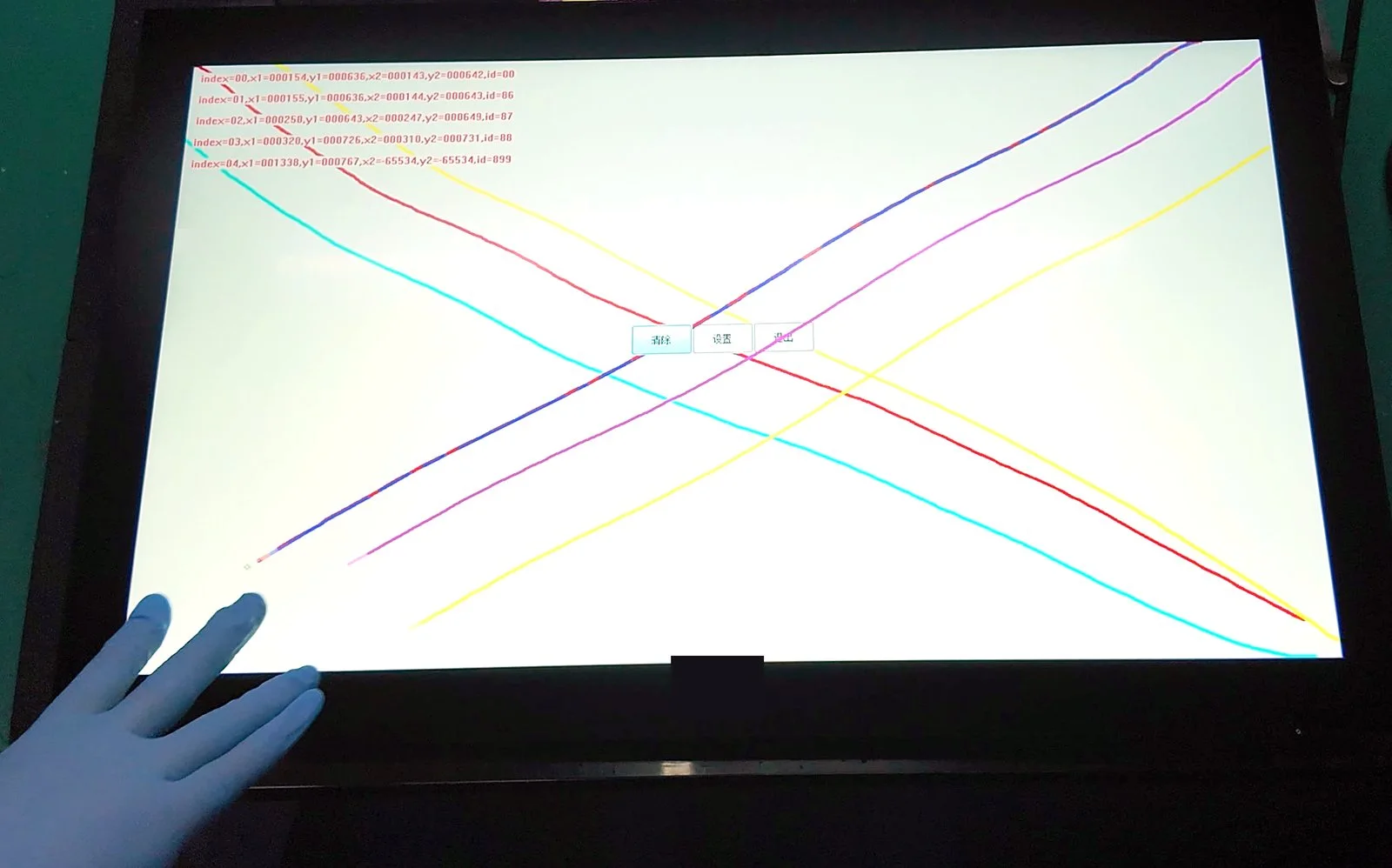
Projected capacitive touch, or PCAP, is the technology behind almost every smartphone and tablet you have used. It feels effortless on a phone. Making it just as accurate on a factory floor, where hands are gloved or wet and the air is full of electrical noise, is a much harder engineering problem. This article explains how PCAP actually senses a touch, and what separates an industrial-grade implementation from the consumer version.
How PCAP senses a touch
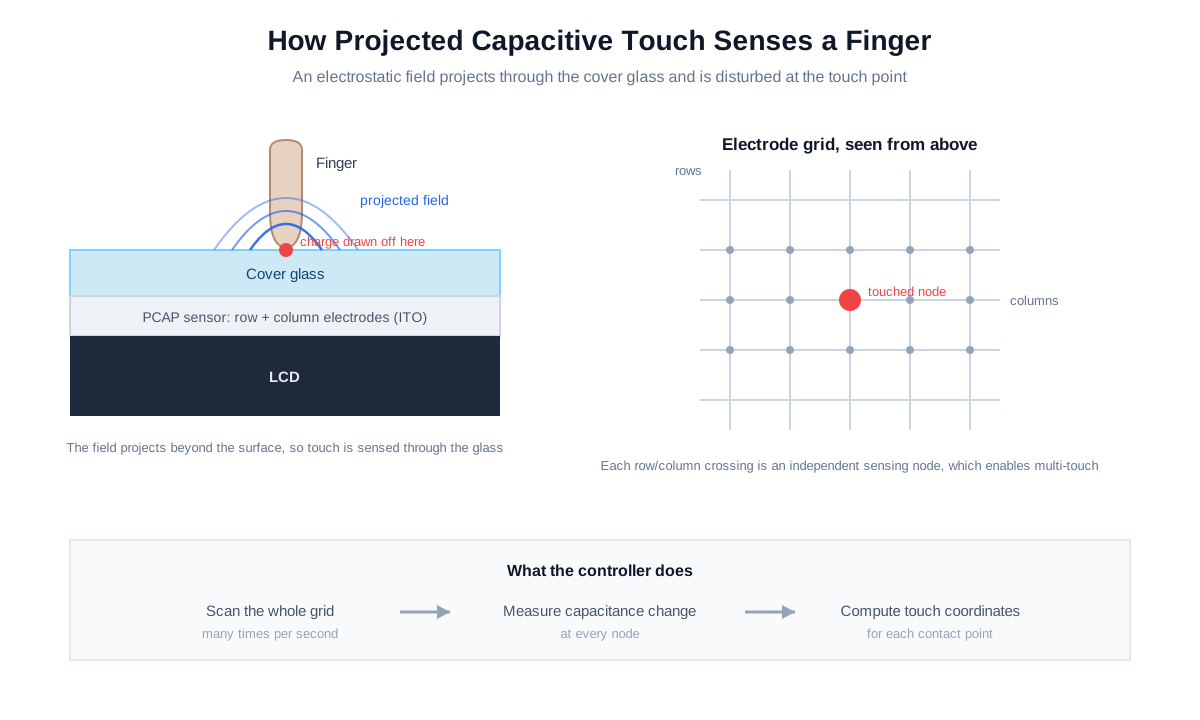
Under the cover glass of a PCAP screen sits a transparent sensor: a fine grid of conductive electrodes, usually indium tin oxide (ITO) or a metal mesh, arranged in rows and columns. The controller drives these electrodes to create a small electrostatic field. Because the field projects a short distance beyond the surface of the glass, the screen can sense a touch through the cover layer, with the electrodes themselves never exposed.
Each place where a row crosses a column is a sensing node. When a conductive object such as a fingertip approaches, it draws off a tiny amount of charge and changes the capacitance at the nearest nodes. The controller scans the whole grid many times per second, measures where the capacitance changed and by how much, and calculates the coordinates of the touch. Since every node is read independently, the controller can track several touches at once, which is what makes multi-touch gestures possible.
Two ways to measure capacitance, and why it matters
An industrial controller works with two related measurements, and the combination is the key to its more advanced behavior.
- Self capacitance measures the charge between a single electrode and ground. It is sensitive, which helps detect a weak signal such as a gloved finger.
- Mutual capacitance measures the charge between a row and a column at each node. It gives precise, independent multi-touch and cleaner discrimination between real and false contacts.
By reading both, a good controller can describe the shape and signal pattern of whatever is on the glass. That richer picture is what lets it tell a fingertip apart from a film of water, and it is the foundation for the features below.
Why consumer PCAP fails in the field, and how industrial PCAP holds up
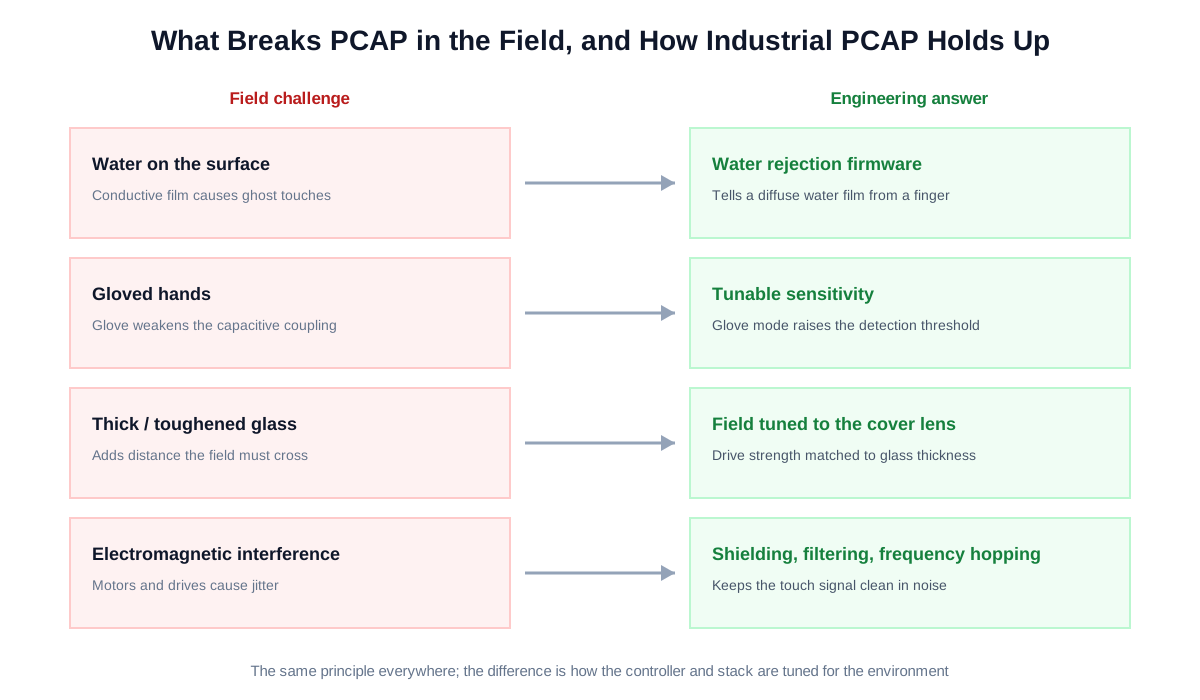
The principle is the same everywhere. The difference shows up in the conditions a plant floor throws at the screen.
Water on the surface
Water is conductive, so a splash or a wet wipe-down looks a lot like a touch to a naive controller, producing ghost touches or blocking real input. An industrial controller uses water rejection: it reads the broad, diffuse signal pattern of a water film and separates it from the localized, finger-shaped signal of a real touch, using the self and mutual capacitance data together. The result is stable input even when the surface is wet. KoreTouch panels support wet-touch operation for exactly this reason.
Gloved hands
A glove puts distance between the finger and the glass and weakens the capacitive coupling, so a screen tuned only for a bare finger will miss the touch. Industrial firmware raises the sensitivity and detection threshold so a gloved hand still registers. Higher sensitivity and aggressive water rejection pull in opposite directions, so a well-designed system makes this tunable to the application. KoreTouch panels support glove-touch.
Thick and toughened cover glass
Public and industrial installations often need thicker or chemically strengthened glass for impact and vandal resistance. Thicker glass increases the distance the field has to project, so the controller has to drive a stronger field and be tuned to the exact cover lens thickness. This is part of why an industrial touchscreen is engineered as a matched system, with the glass, sensor, and controller specified together.
Electromagnetic interference
Motors, drives, inverters, and welders fill a plant with electrical noise that can cause jitter or phantom touches. Industrial designs counter this with a shielding layer in the stack, signal filtering, and frequency hopping in the controller so the touch signal stays clean in a noisy environment.
The touch stack decides reliability as much as the controller
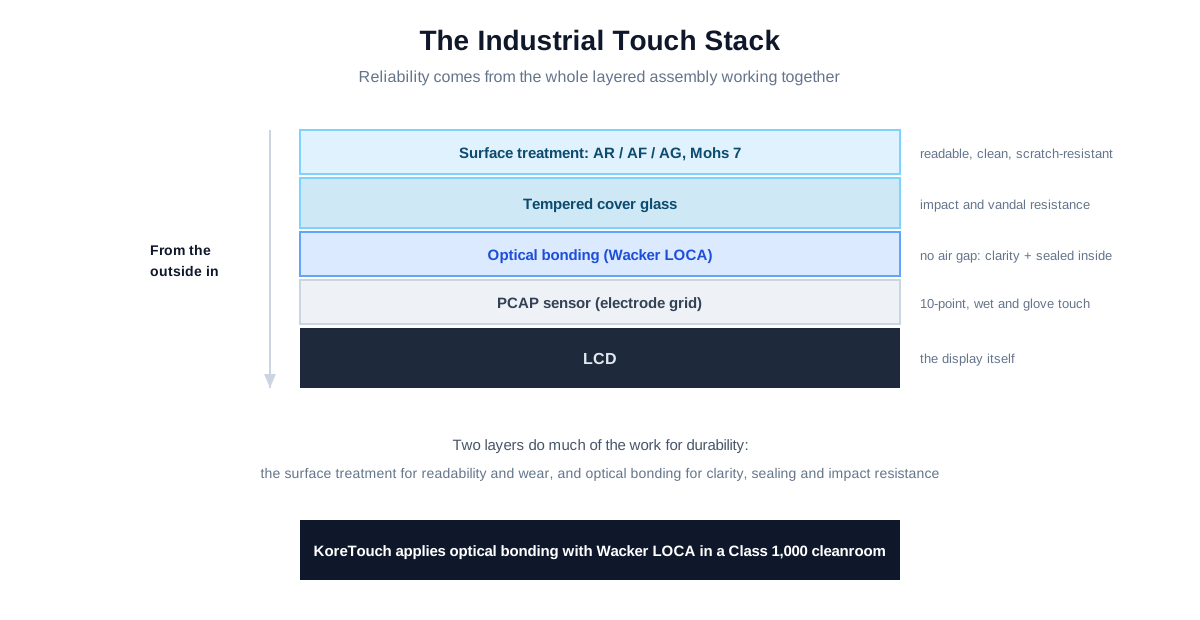
A robust touch experience comes from the whole layered assembly working together. From the outside in, that means the cover glass and its surface treatment, the bonding layer, the PCAP sensor, and the LCD. Two parts of this stack do a lot of the work:
- Surface treatment. Anti-reflective (AR), anti-fingerprint (AF), and anti-glare (AG) options keep the screen readable and clean under hard use, and a Mohs 7 hardness surface resists scratching. KoreTouch offers AR, AF, and AG with tempered glass.
- Optical bonding. Filling the air gap between the cover glass and the LCD with a clear adhesive removes internal reflections, blocks moisture and dust from collecting inside, and adds impact resistance. KoreTouch applies optical bonding with Wacker silicone LOCA in a Class 1,000 cleanroom.
What to specify for an industrial PCAP touchscreen
- The touch modes you need: bare finger, wet, glove, stylus, or a combination.
- Cover glass thickness and type, since the touch tuning depends on it.
- The electrical environment, so EMI shielding and filtering can be matched to it.
- Sealing and IP rating for the front face.
- Number of simultaneous touch points and any gesture requirements.
How KoreTouch implements industrial PCAP
KoreTouch builds PCAP touch as a tuned system. The panels provide 10-point multi-touch with wet-touch and glove-touch support on tempered glass, with AR, AF, and AG surface options and a Mohs 7 hardness rating, and they can be optically bonded for readability and durability. Because the touch behavior is tuned to the cover glass, sealing, and electrical environment of each deployment, the team adapts the sensor, glass, and controller settings to each application.
Designing a touchscreen for a demanding environment? Explore the product range, read about optical bonding, or contact the team to discuss your requirements.
Key takeaways
- PCAP senses touch by detecting capacitance changes where electrode rows and columns cross under the cover glass.
- Reading self and mutual capacitance together lets the controller distinguish a finger from water and detect a gloved hand.
- Field reliability depends on water rejection, glove tuning, matching the cover glass, and EMI shielding.
- The full stack, including surface treatment and optical bonding, decides durability as much as the sensor does.
- Industrial PCAP performs best when the glass, sensor, and controller are tuned to the specific deployment.