Product Engineering
Bar Type LCD Displays: Engineering, Optical Performance, and Where Ultra-Wide Screens Earn Their Keep
Ultra-wide form factors, sunlight-readable brightness, optical bonding, and PCAP touch for retail shelf edges, transit platforms, and control-room monitoring walls.
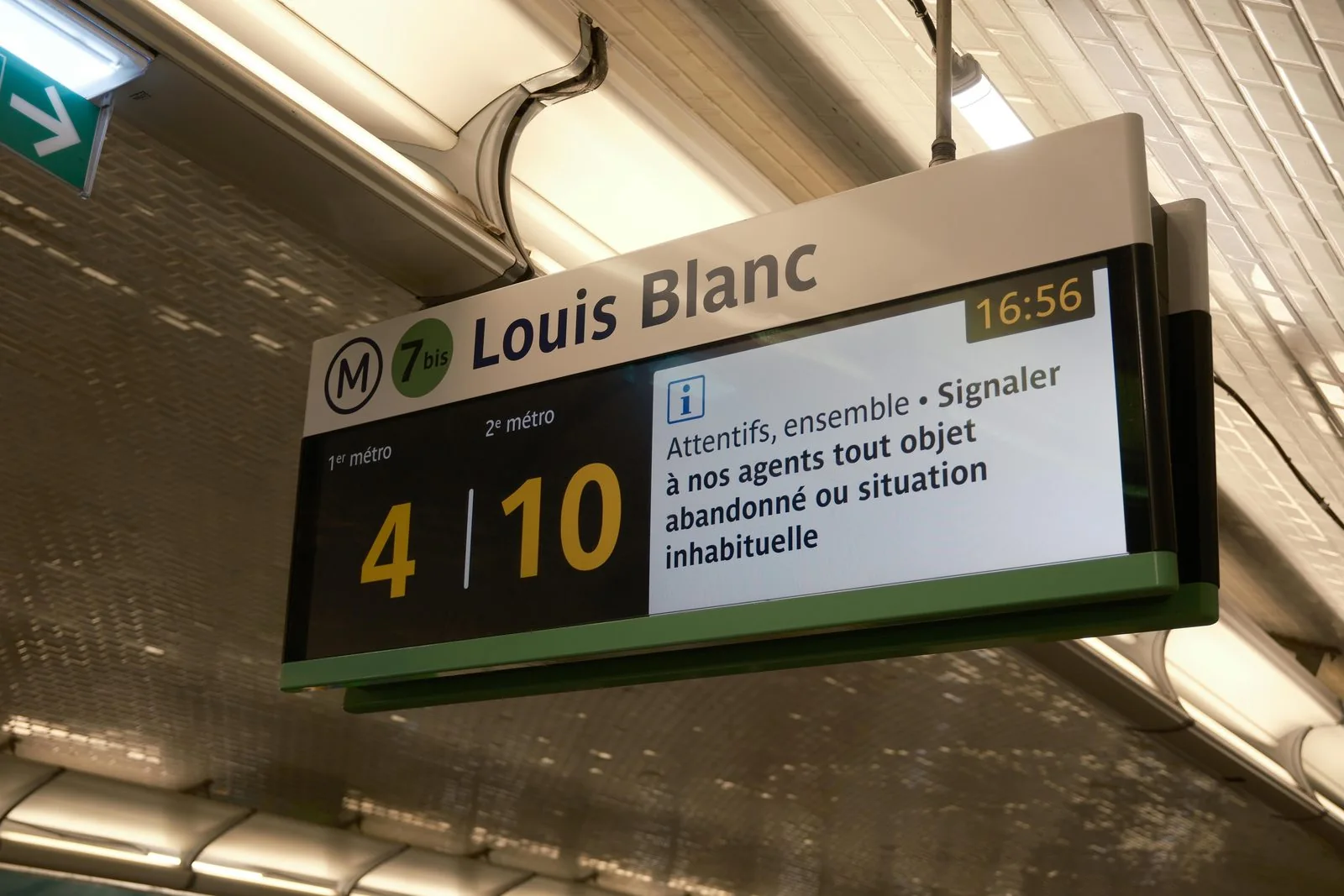
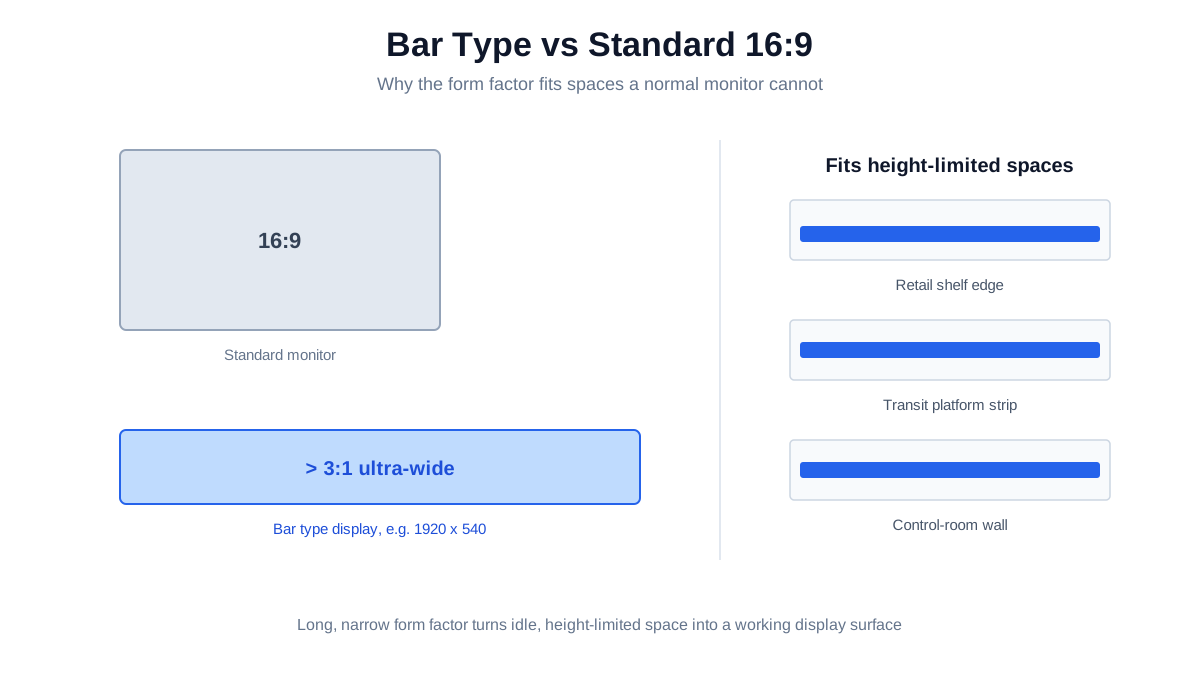
A standard 16:9 monitor is built for a world of documents and video frames. But a growing share of the places that need a screen, such as a shelf edge, a transit platform fascia, the header above a checkout lane, or a control-room wall, were never shaped for one. That mismatch is exactly the gap a bar type LCD display fills.
Also called stretched or ultra-wide displays, bar type panels trade the familiar rectangle for an elongated form factor, with aspect ratios well beyond 16:9 and often above 3:1. They are not a cheaper substitute for a normal monitor. They are a different tool, built to put information into linear, space-constrained places where a conventional screen simply will not go. This guide walks through how they are engineered, what separates an industrial-grade unit from a commodity panel, and where they deliver measurable value.
What a bar type display actually is
At its core, a bar type display is a TFT-LCD whose active area is cut or specified to an unusually long, narrow shape. Many ultra-wide panels are produced by precisely cutting larger high-resolution mother glass, which lets the finished unit retain a high native pixel density along its length rather than simply stretching a low-resolution image.
The result is a screen that maps naturally onto two things conventional displays handle poorly:
- Constrained physical space. Shelf edges, pillar wraps, doorway headers, vehicle dashboards, and platform strips are height-limited zones most installers treat as unusable. A bar panel turns that idle space into a working display surface.
- Linear information flow. Schedules, queue status, price tickers, scrolling alerts, and timeline-based monitoring all read more intuitively across a long horizontal band than inside a square frame.
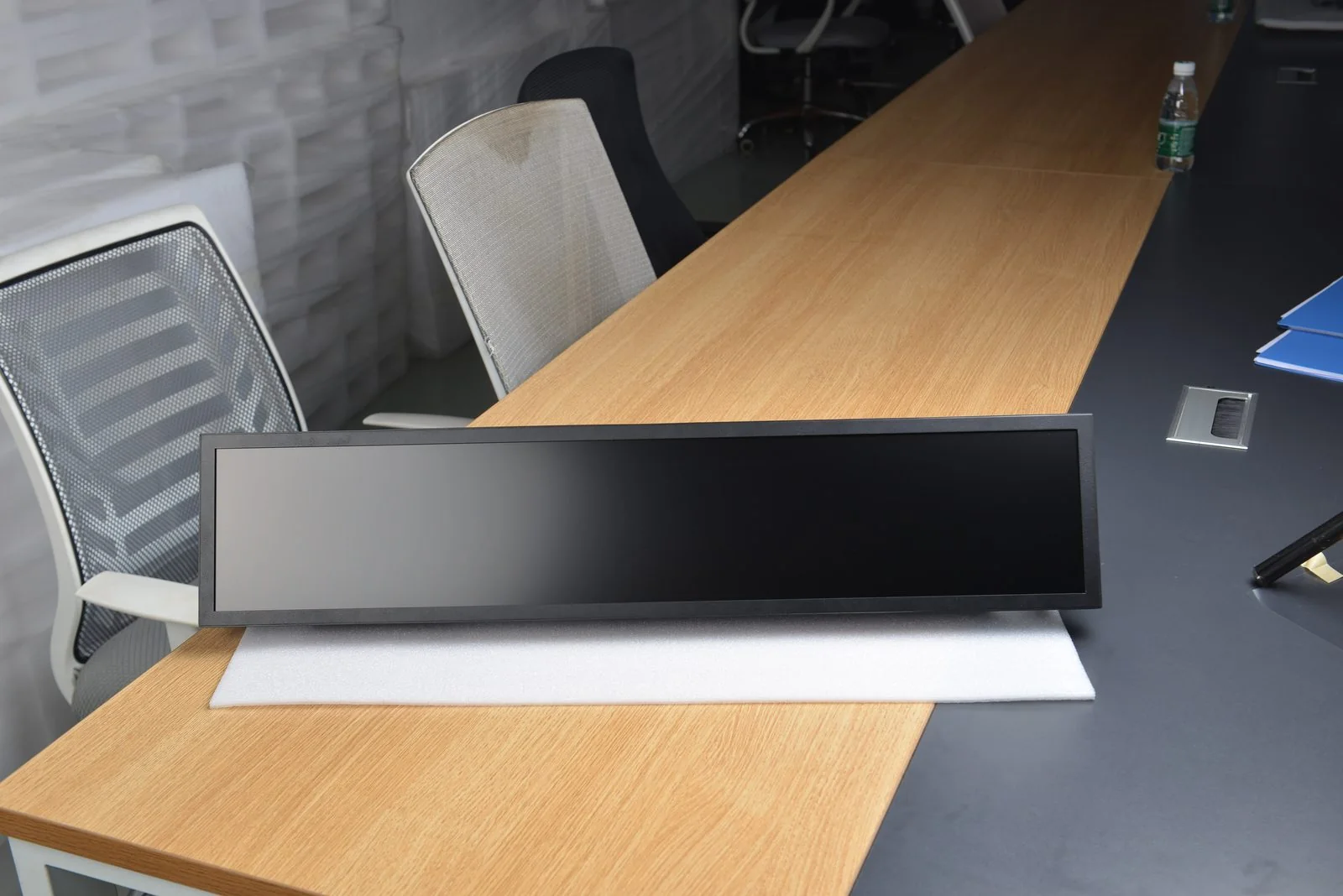
KoreTouch's own range reflects this, offering bar type LCD displays in 15.3″, 28″, 37″, 38″, and 49.5″ sizes, each engineered for continuous duty rather than occasional consumer use.
The engineering that decides field reliability
The shape is only the headline. Whether an ultra-wide display survives a retail floor or a transit station for years comes down to several layers of engineering underneath it.
Resolution and panel quality
A long screen showing detailed pricing, GUIs, or animated content needs real pixel density, not an upscaled stretch. The KoreTouch 49.5″ model (KT-495HBM-I01), for example, runs a native 1920 × 540 resolution across a 1209.6 × 342.2 mm active area on an a-Si TFT-LCD, with a 4000:1 typical contrast ratio and 16.7M colors. That is enough fidelity for small text and dense layouts at viewing distance.
Sunlight-readable brightness
Brightness is non-negotiable once a display faces a shop window, a platform, or any sunlit interior. Where a desktop monitor sits around 250 to 350 nits, industrial bar displays are specified far higher. The KoreTouch 49.5″ panel reaches up to 1,500 cd/m². That headroom is what keeps content legible in direct or reflected light instead of washing out by mid-morning.
Optical bonding, the single biggest reliability lever
This is where industrial and commodity units truly diverge. Optical bonding fills the air gap between the LCD and the cover glass with a clear adhesive (KoreTouch uses Wacker silicone-based LOCA, applied in a Class 1,000 cleanroom). The payoff is threefold:
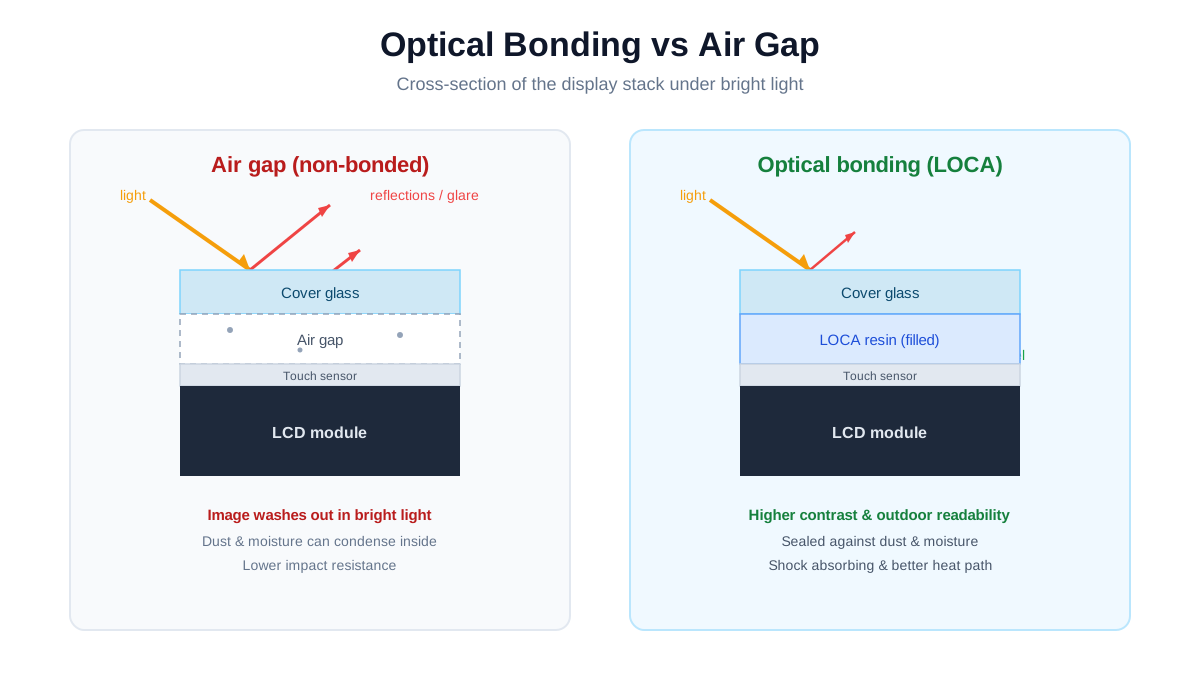
- Contrast and outdoor readability. Eliminating the internal air-to-glass interface removes reflections that otherwise gray out the image in bright light.
- Environmental durability. With no air gap, moisture and dust cannot condense inside the stack, and the cured resin acts as a shock absorber that improves impact resistance.
- Thermal management. The bonding layer conducts heat away from the panel, lowering internal operating temperature and extending service life.
Surface treatment and touch
Glare is the other half of readability. AG (anti-glare) micro-texturing diffuses reflections, AR (anti-reflective) coatings raise transmission and kill mirror reflections, and AF (anti-fingerprint) keeps high-touch surfaces clean. KoreTouch bar panels offer AR, AF, and AG options with a Mohs 7 hardness surface.
Crucially, KoreTouch bar displays are not passive signage only. They support projected capacitive (PCAP) multi-touch, including wet-touch and glove-touch operation. That turns a bar display from a broadcast surface into an interactive terminal, suitable for wayfinding, self-service ordering, or operator HMI in environments where bare-finger use cannot be assumed.
Rugged mechanical and electrical design
The 49.5″ unit is rated IP65, runs on DC 24 V, uses a sheet-metal-and-profile housing, mounts on VESA 800 × 200, and is built for 24/7 operation across a 0 to 50 °C operating range with wide-temperature design. These are the unglamorous specs that decide whether a deployment runs untouched for years or becomes a service ticket.
Where bar type displays earn their place
Retail and hospitality
The shelf edge is the fastest-growing use case. A narrow bar panel digitizes price rails and promotional zones that a normal monitor cannot fit, enabling dynamic pricing and animated promotions exactly at the point of decision. In food and hospitality, the same form factor becomes a digital menu board with real-time price and availability updates, and its unusual shape draws attention in visually crowded rooms.
Transportation and public information
Airports, rail, and metro rely on bar displays for schedules, platform status, and wayfinding, where the long horizontal band mirrors the linear flow of time and routes. These deployments demand the full stack of high brightness, optical bonding, and sealing, because they face sunlight, vibration, and uninterrupted duty cycles.
Industrial control and monitoring
Ultra-wide panels give control rooms a panoramic field of view that can be split into side-by-side windows for multi-source monitoring, reducing the visual fragmentation of multiple bezels. Combined with PCAP touch, the same panel doubles as an operator HMI.
Market direction and honest challenges
Demand for ultra-wide signage is expanding quickly, driven by retail and transit digitalization, higher-resolution (4K-class) content, interactivity, and cloud content management. Industry analyses put the segment's growth well into double-digit CAGR territory.
It would be one-sided to skip the friction. Two real challenges shape any bar-display project:
- Content design. Non-standard aspect ratios mean creative assets must be authored for the specific canvas, and reusing 16:9 content rarely works. Budget for content as part of the project, not an afterthought.
- Supply chain and software fit. Custom panel cutting raises cost and lead-time considerations, and the content management system has to handle non-standard resolutions cleanly. Confirm CMS compatibility early.
Longer term, MiniLED and MicroLED backlighting, curved and flexible variants, and sensor or IoT integration are pushing bar displays from passive screens toward context-aware smart edge devices.
Specifying a bar type display with KoreTouch
The strength of a bar display is also its complication. Because the form factor is application-specific, the right unit is rarely an off-the-shelf SKU. KoreTouch works from your deployment requirements, including target brightness, cover glass, IP rating, I/O layout, bonding, and certification goals, and translates them into an optimized optical stack and enclosure, from prototype through volume production.
If you are scoping a retail, transit, or control-room program, the practical next step is to share the constraints of the physical space and the content you need to show, then let the engineering follow.
Key takeaways
- Bar type displays solve two problems standard monitors cannot: tight, non-standard spaces and linear information flow.
- Industrial-grade performance depends on the stack beneath the shape: high brightness, optical bonding, surface treatment, sealing, and optionally PCAP touch.
- The highest-value deployments are retail shelf edges, transit information strips, and control-room walls.
- Plan for content design and CMS compatibility from the start.
- For non-standard form factors, an OEM/ODM partner who can tune the full optical and mechanical stack matters more than a catalog spec.
Browse the current range on the Bar Type LCD Display page, read more about Optical Bonding, or contact the KoreTouch team for a custom quote.