Product Engineering
What Are Industrial Displays? Features That Survive Harsh Environments
Industrial displays are not consumer screens in a darker bezel. They are matched optical, touch, and mechanical systems specified for dust, washdown, EMI, sunlight, and 24/7 duty.
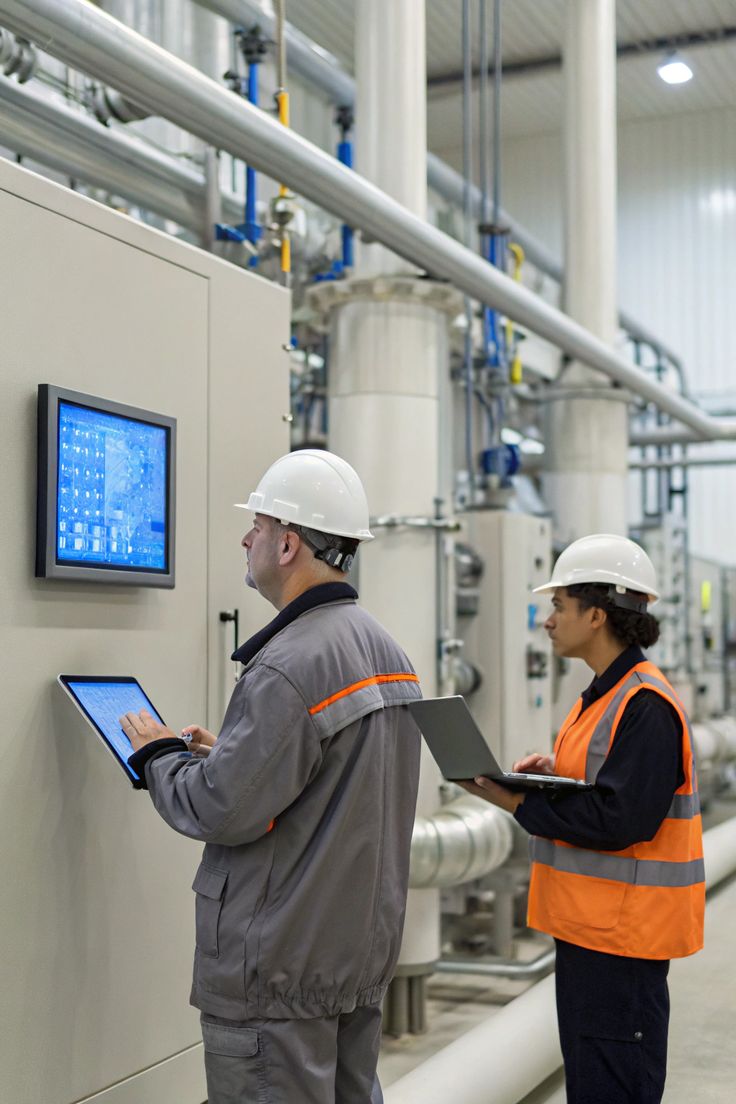
Industrial displays are not consumer screens in a darker bezel. They are matched optical, touch, and mechanical systems specified for dust, washdown, EMI, sunlight, and 24/7 duty. This guide covers the features that actually matter when you write a spec.
A factory HMI, an outdoor kiosk, and a warehouse terminal all ask the same thing of a screen: stay readable and keep taking input after the environment has already retired a desktop monitor. Dust, oil mist, vibration, water, wide temperature swings, and electrical noise from drives and welders are normal operating conditions, not exceptions.
At KoreTouch we design industrial touch monitors and panel PCs as one optical-mechanical stack: cover glass, PCAP sensor, controller firmware, bonding process, and enclosure. This article explains what separates true industrial displays from re-housed consumer panels, and how to match the stack to the site rather than to a catalog photo.
What Are Industrial Displays?
Industrial displays are LCD or touchscreen systems engineered for continuous operation in environments that would damage a consumer monitor — airborne dust and oil, washdown or rain, vibration, electromagnetic noise, and temperatures outside an office range. They're used as HMIs on machines, panel-mount units in control cabinets, open-frame modules inside kiosks, and sunlight-readable outdoor terminals.
A unit qualifies as industrial when the front is sealed to a stated IP rating, the optical stack is designed for the lighting and glass thickness of the application, the touch controller is tuned for gloves, water, and EMI, and the components are sourced to stay buildable for years. A dark metal bezel without those decisions is still a consumer panel.
Industrial Displays vs. Consumer Monitors
| Criteria | Consumer monitor | Industrial displays |
|---|---|---|
| Duty cycle | A few hours/day, climate-controlled | 24/7/365, often unattended |
| Housing | Plastic, open vents | Aluminum or steel, gaskets, panel/VESA/open-frame mounts |
| Ingress protection | None or incidental | IP65 front typical; higher for washdown/outdoor |
| Brightness | ~250–350 nits | 500 nits indoor; 1,000+ nits for sunlight |
| Touch | Bare-finger PCAP, office firmware | Tuned PCAP; wet, glove, and EMI-aware firmware |
| Optical stack | Air gap between glass and LCD | Optical bonding (LOCA) to cut reflection and condensation |
| Temperature | Narrow office range | Wide-temperature, fanless heat paths |
| Lifecycle | Short model cycles | Long-term BOM, industrial components, CE/FCC/RoHS |
In the field, the first failures on a consumer panel are usually condensation in the air gap, phantom touches near a drive, a backlight that can't compete with daylight, or dust pulled in through a cooling fan. Industrial displays are specified to close those failure modes before the unit ships.
1. Sealed Construction and IP Ratings
Industrial displays treat the front face as a barrier, not a picture frame. A sealed front with a published IP rating — most often IP65 — keeps dust and water jets out of the electronics. The enclosure matters just as much: aluminum or reinforced steel, silicone gaskets, and mounting that matches the install — panel-mount, VESA, or open-frame. Fanless cooling is a sealing feature, not just a noise feature — a fan that pulls plant air through the chassis is a dust pump.
When specifying, state whether only the front needs IP65 protection (cabinet-protected rear) or the whole enclosure does. Over-specifying full-body IP67 on a unit inside a sealed cabinet wastes budget; under-specifying a kiosk that's hosed down every shift is how water reaches the backlight.
2. Field-Ready PCAP Touch
Projected capacitive touch (PCAP) works by scanning a grid of electrodes under the cover glass to detect changes in capacitance. On a factory floor that has to survive thick glass, gloves, water films, and electrical noise — conditions a consumer PCAP controller isn't tuned for.
Industrial controllers combine two measurements: self-capacitance, which is highly sensitive and helps detect a gloved finger, and mutual capacitance, which gives precise, independent multi-touch coordinates and better distinguishes a real touch from a false one. Reading both is what lets firmware separate a real command from water, EMI, or a resting palm.
Cover-glass thickness matters here too — thicker or strengthened glass increases the distance the capacitive field must travel, so the sensor and firmware must be calibrated to the exact glass shipped. Dropping thicker glass onto an office-tuned module is a common reason industrial displays feel unresponsive in the field.
3. Wet-Touch and Glove Operation
Water is conductive, so an untuned touchscreen can mistake a splash or wet wipe for a real touch. Industrial firmware applies water rejection: it reads the broad, diffuse capacitance signature of a water film and separates it from the localized signal of a real finger.
Gloves have the opposite effect — they weaken the coupling between finger and glass — so the controller raises sensitivity and detection thresholds to keep gloved input accurate. Higher sensitivity and stronger water rejection pull in opposite directions, so the balance has to be tuned for the site.
KoreTouch panels support wet-touch and glove-touch operation with 10-point multi-touch as standard. If stylus input is also needed, flag it in the RFQ — stylus, glove, and rain rejection aren't automatically compatible and should be validated together.
4. Cover Glass and Surface Coatings
The cover lens is both armor and optics. Chemically strengthened or thicker tempered glass raises impact and scratch resistance, and a Mohs 7 surface holds up to tools, grit, and repeated cleaning. Because the PCAP field passes through this lens, glass type and thickness need to be specified alongside the touch controller, not decided later as a mechanical change.
Surface treatment determines how the display looks after months of use:
- Anti-reflective (AR) — cuts specular bounce in high ambient light
- Anti-fingerprint (AF) — keeps the surface usable across many operators
- Anti-glare (AG) — scatters mirror-like reflections from overhead lighting
These aren't interchangeable — a glossy AR finish can still mirror an overhead skylight if AG is what the lighting actually calls for. KoreTouch offers AR, AF, and AG on tempered glass so the finish can match the lighting and cleaning method rather than defaulting to one coating for every unit.
5. Optical Bonding for Durability and Sunlight Readability
In a standard display, an air gap between the cover glass and the LCD traps internal reflections and, over time, collects moisture and dust. Optical bonding fills that gap with a transparent adhesive so the two surfaces act as one optical path.
The results: higher contrast and better sunlight readability at the same backlight power, a sealed path that keeps water and dust out, and a stiffer laminate that handles impact and vibration better than an air-gapped stack. For outdoor kiosks and humid workshops, bonding is closer to a reliability requirement than a cosmetic upgrade.
KoreTouch bonds in a Class 1,000 cleanroom using WACKER silicone liquid optically clear adhesive (LOCA), chosen for a stable, bubble-free bond that resists the yellowing lower-grade adhesives can show after years of heat and UV exposure. Bonding and coatings work together — raising nits alone still leaves reflection in an air-gapped stack, while bonding plus the right surface treatment is what actually makes a high-brightness outdoor unit readable at noon.
6. EMI Immunity on the Plant Floor
Motors, variable-frequency drives, inverters, and welding equipment fill a factory with electrical noise. An unshielded touch overlay will jitter, drop touches, or register phantom input. Industrial displays address this with a dedicated shielding layer in the touch stack, signal filtering, correct grounding, and controller techniques such as frequency hopping to move the scan off a noisy band.
If the display will sit near a welding cell, a large servo drive, or a device with strict EMC limits, flag this before the controller is selected — EMI performance can't be recovered after the stack is already laminated.
7. Brightness, Wide Temperature, and Fanless Cooling
Brightness should match the actual ambient light, then be paired with bonding and coatings so contrast holds up, not just peak nits:
- Indoor production and control rooms: ~350–500 nits
- Bright indoor or semi-outdoor (loading docks, window-side lines): 700–1,000 nits
- Direct sun, outdoor kiosks, transit platforms: 1,000–1,500+ nits, with optical bonding
Temperature range matters just as much for uptime. Unheated warehouses, hot equipment rooms, and cold storage all sit outside consumer LCD limits. Wide-temperature panels with a sealed, fanless heat path let the unit run continuously without pulling in dust or icing a fan bearing.
KoreTouch industrial monitors and panel PCs combine high-brightness options with wide-temperature validation and sealed thermal design, rather than office-style ventilation.
How to Specify Industrial Displays
A datasheet listing IP65, PCAP, and high brightness doesn't guarantee reliability if the glass, sensor, controller, and bond weren't tuned as one system. Use this as a quoting checklist:
- Touch modes — bare finger, wet, gloves, stylus, or a mix; how many simultaneous points or gestures
- Cover glass — thickness, strengthening method, AR/AF/AG finish
- Electrical environment — nearby VFDs, welders, or radio equipment
- Sealing — front-only vs. full-enclosure IP rating, real washdown or weather conditions
- Viewing conditions — indoor, window-side, or direct sun; target nits plus bonding
- Thermal and duty cycle — min/max ambient temperature, 24/7 operation, fanless requirement
- Mechanics — panel-mount, VESA, open frame, or custom cutout; required I/O
- Lifecycle — target service years, certifications (CE, FCC, RoHS), long-term component availability
A supplier who can only quote a size and a price is quoting a screen. A supplier who asks about glass, water, gloves, and the nearest drive is quoting industrial displays.
Why KoreTouch Builds Industrial Displays as a System
KoreTouch manufactures industrial-grade PCAP touch monitors and panel PCs as customized stacks, not assembled commodity modules. Standard engineering includes tempered cover glass, 10-point multi-touch, wet-touch and glove-touch firmware, optional AR/AF/AG coatings, Mohs 7 hardness, and optical bonding with WACKER silicone LOCA in a Class 1,000 cleanroom. Glass thickness, sealing, brightness, and electrical environment are treated as inputs to the design, not options added after lamination.
FAQ
What are industrial displays used for?
Machine HMIs, cabinet-mounted operator panels, warehouse terminals, indoor and outdoor kiosks, medical device interfaces, and transportation or smart-city information displays.
Do industrial displays always need touch?
No. Many are video-only monitors with HDMI, VGA, or industrial video inputs. Touch is added when operators need to enter commands directly at the unit. PCAP is the common choice for sealed, multi-touch interfaces; resistive touch remains useful for some heavily gloved or contaminated processes.
Is IP65 enough for outdoor industrial displays?
IP65 on the front is a common starting point for dust and water jets. Outdoor and washdown sites may need a higher rating, sealed connectors and rear housing, high brightness, optical bonding, and UV-stable materials. Confirm whether the rating covers the front only or the full enclosure.
Can industrial displays run 24 hours a day?
Yes — that's a core design goal. Industrial-grade panels, sealed thermal paths, and long-life backlights are built for continuous duty, which consumer monitors are not rated for.
Work with KoreTouch
Share your mounting method, IP requirement, touch mode, brightness, and electrical environment with sales@koretouch.com. See also Industrial Monitors, Open Frame Touchscreen Monitors, and Optical Bonding.