Solutions
Are Portable Monitors Actually Worth Buying? What Control and Monitoring Systems Really Need from a PC Touch Panel
"Portable monitor" is a phrase most people associate with a thin USB-C screen tossed in a laptop bag for travel or a second workspace. In industrial control and monitoring, the question means something different — and the stakes are much higher.
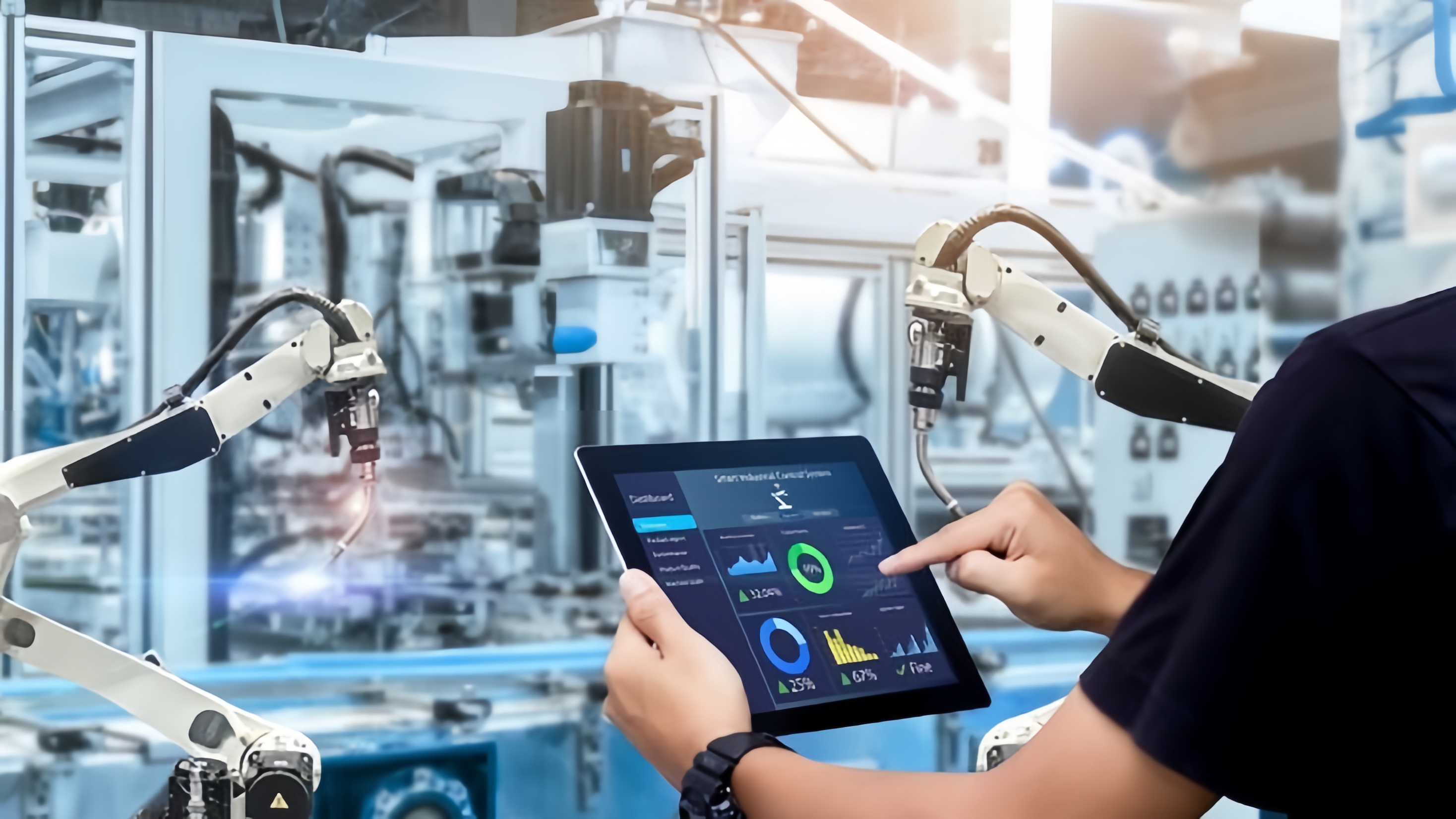
"Portable monitor" is a phrase most people associate with a thin USB-C screen tossed in a laptop bag for travel or a second workspace. But in industrial control and monitoring systems, the question means something different — and the stakes are much higher. When an operator wheels a diagnostic cart onto a factory floor, when a technician needs a mobile HMI to commission a new line, or when a control room needs an auxiliary display that can be relocated without an electrician, "portable" has to mean durable, touch-reliable, and engineered for the environment it's dropped into — not just light and cheap.
So are portable monitors actually worth buying for control and monitoring applications? The honest answer is: it depends entirely on what's inside the panel. A consumer-grade portable monitor and an industrial-grade PC touch panel may look similar on a spec sheet, but they are built to solve completely different problems.
Why Plants and Control Rooms Reach for Portable Monitors
Mobility has real operational value in industrial settings:
- Mobile HMI carts let a single touch panel move between machines instead of every machine needing its own fixed display.
- Field commissioning and diagnostics benefit from a display technicians can carry to a panel, a robot cell, or a remote skid.
- Auxiliary and overflow displays in control rooms need to be repositioned as SCADA layouts and workstations change.
- Space-constrained installations — control cabinets, kiosks, transportation systems — often need a compact display that can be panel-mounted rather than permanently wired into a fixed enclosure.
In all of these cases, the monitor isn't a luxury accessory. It's the operator's window into the process, and if the touch input fails or the screen degrades, the whole workflow stops.
Where Consumer Portable Monitors Fall Short
The problem isn't portability itself — it's what most portable monitors are designed for. Consumer panels are built around office and travel use cases: dry hands, clean air, indoor lighting, and a controlled desk environment. Move that same panel onto a plant floor and several things break down quickly:
- Touch reliability collapses around water and gloves. Capacitive touch works by sensing the tiny change in charge a finger creates. A consumer controller is tuned for a bare, dry fingertip. A splash of coolant or a gloved hand can either trigger false "ghost touches" or fail to register a touch at all — an industrial controller has to read both self-capacitance and mutual-capacitance data together to tell a real touch apart from a film of water, and to detect the weaker signal a glove produces.
- Electrical noise causes jitter. Motors, VFDs, and welders generate electromagnetic interference that a plant floor lives with every day. Without shielding, signal filtering, and frequency hopping built into the touch controller, that noise shows up as erratic or phantom touch points.
- Cover glass and sealing aren't built for the environment. Thin consumer glass scratches, and unsealed bezels let dust and moisture work their way in over time — a real concern for a panel that gets moved, mounted, and handled repeatedly.
- Lifecycle and sourcing are unpredictable. Consumer product lines change every year, making long-term replacement, support, and integration into a control system difficult to guarantee.
What "Worth Buying" Actually Looks Like
A portable or panel-mount touch monitor earns its place in a control and monitoring system when the engineering behind the screen matches the environment it will operate in. That means looking past resolution and thickness and asking about the touch stack itself:
- Touch mode support — bare finger, wet, glove, or a combination — specified for how operators will actually use it.
- Cover glass thickness and hardness, since touch sensitivity has to be tuned to the exact glass the panel uses.
- EMI shielding and filtering, matched to the electrical noise of the installation.
- IP-rated sealing on the front face for washdown, dust, or outdoor exposure.
- Optical bonding, which fills the air gap between the cover glass and the LCD panel — improving sunlight readability, blocking moisture and dust ingress, and adding impact resistance versus an air-gapped assembly.
- Mounting flexibility — VESA, panel mount, or open-frame — so the same display can move between a cart, a cabinet, and a wall bracket as the application demands.
How KoreTouch Engineers Portable Touch Panels for Industrial Use
KoreTouch designs its PC touch panels and industrial monitors as a matched system rather than a generic screen with a touch layer bolted on. The panels support 10-point multi-touch with wet-touch and glove-touch operation, built on tempered glass with anti-reflective, anti-fingerprint, and anti-glare surface options and a Mohs 7 hardness rating for scratch resistance. Optical bonding is applied using Wacker silicone LOCA inside a Class 1,000 cleanroom, which is what allows the display to stay clear, bubble-free, and impact-resistant over years of service rather than months.
Because touch performance depends on the whole assembly — glass thickness, sealing, and the electrical environment — the sensor, glass, and controller settings are tuned for each deployment rather than shipped as one-size-fits-all. That's the difference between a monitor that's technically portable and one that's actually reliable once it leaves the test bench and goes to work on a control room floor.
The Real Question Isn't "Portable or Not" — It's "Engineered or Not"
Portable monitors are absolutely worth buying for control and monitoring systems — as long as the one you choose is built for the environment it's going into, not just for a desk. If your team is evaluating touch panels for mobile HMI carts, control cabinets, or field diagnostics, it's worth specifying touch mode, glass, sealing, and EMI requirements up front rather than discovering the gaps after installation.
Work with KoreTouch
Designing a control or monitoring system that needs a portable, industrial-grade touch panel? Explore industrial monitors, open-frame touchscreen monitors, and panel PCs, or reach out to the KoreTouch team at sales@koretouch.com to talk through your application, environment, and mounting requirements.