Technical Deep Dive
Outdoor Touchscreen Overheating in Summer: Is It a Dead Screen, or Is the Controller Protecting Itself?
A kiosk sits in direct sun for hours, then the touchscreen stops responding. A reboot brings it back. Is the hardware damaged, or is the device protecting itself?
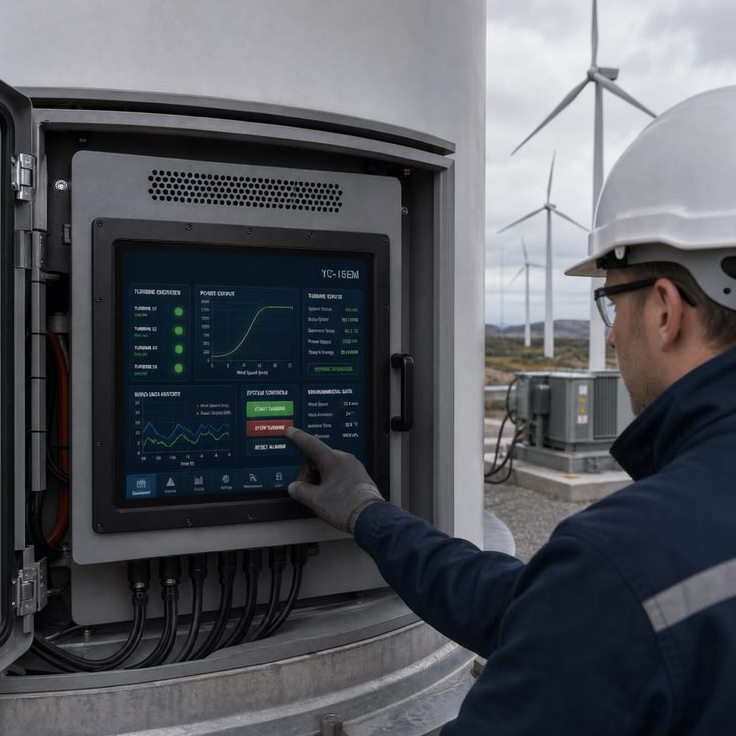
It's peak summer. A self-service kiosk, a fuel-dispenser display, or a parking payment terminal has been sitting in direct sunlight for hours, and the touchscreen suddenly stops responding to taps and swipes. A reboot brings it back to life. This scenario repeats every summer across field deployments, and it raises the same question for operations teams and procurement managers alike: is the hardware actually damaged, or is the device protecting itself?
As a manufacturer focused on industrial-grade projected capacitive (PCAP) touchscreens, KoreTouch wants to unpack this question from first principles, and explain how a proven engineering approach can meaningfully reduce the rate of heat-related touch failures in the field.
Two Very Different Root Causes
1. Genuine hardware damage. This includes broken traces in the capacitive sensor (ITO or metal mesh), flex cable solder joints fatigued by repeated thermal expansion and contraction, or degradation of the LCD panel itself. This kind of failure is typically irreversible — power-cycling the unit won't help — and it's usually accompanied by permanently dead zones or clearly abnormal display behavior, not a temporary loss of responsiveness.
2. Thermal protection triggered by the controller. This is the far more common scenario, and the one most often mistaken for a broken screen. A PCAP touchscreen works by driving an electrode grid to create a weak electrostatic field that projects just beyond the surface of the cover glass. The controller continuously measures self capacitance and mutual capacitance at every node to calculate touch coordinates. At elevated temperatures, this circuitry faces a real engineering problem: the signal-to-noise ratio drops and the capacitive baseline drifts. The hotter the internal environment, the noisier the electronics become — which is why many industrial controllers build in a temperature-protection strategy, reducing sensitivity or temporarily suspending touch response once core components cross a safety threshold, then restoring normal operation once temperatures fall.
This behavior is a deliberate trade-off: a short-term loss of function in exchange for protecting the hardware from permanent heat damage. So when a unit stops responding around 2 or 3 p.m. and works fine again by evening, that pattern is very likely thermal protection at work — not a failed component.
Why Outdoor Deployments Make This Worse
The internal temperature of an outdoor display is not the same as the ambient air temperature. Field data and industry experience both show that internal temperatures under direct sun can run 20–30 °C (36–54 °F) higher than the surrounding air, for several compounding reasons:
- Dark enclosures and metal housings absorb heat efficiently.
- LCD backlights are pushed brighter to stay readable in strong sunlight, and brightness scales almost directly with heat output.
- If there's an air gap between the cover glass and the display module — a traditional "air-bonded" construction — that gap does more than cause glare and reduce sunlight readability. It also acts as an insulating layer, trapping heat inside and creating localized hot spots.
- Mismatched thermal expansion coefficients across the glass, bonding material, sensor, and driver circuitry accelerate material fatigue over repeated heat cycles, which can further widen that air gap over time.
In practice, poor sunlight readability, touch instability, and internal heat buildup tend to show up together in outdoor deployments and reinforce one another. That's exactly why industrial touchscreen design has to treat the display as a system, rather than optimizing any single layer in isolation.
Solving It at the Assembly Level, Not Just in Firmware
Rather than relying solely on software-based thermal throttling as the last line of defense, KoreTouch addresses heat-related touch failure at the level of the full touch stack — cover glass, optical bonding layer, PCAP sensor, and LCD — with the goal of reducing how much heat builds up and gets trapped in the first place:
- Optical bonding. KoreTouch uses Wacker silicone LOCA, applied in a Class 1,000 cleanroom, to fill the air gap between the cover glass and the LCD. Eliminating that gap significantly improves sunlight readability and reduces internal reflection, while also closing off the pathway for moisture and dust to collect — lowering the risk of localized condensation, short circuits, and false touches — and improving overall impact resistance.
- Tempered glass and surface treatment. KoreTouch offers anti-reflective (AR), anti-fingerprint (AF), and anti-glare (AG) surface options on Mohs 7 hardness tempered glass, balancing daylight visibility with the scratch and impact resistance outdoor deployments demand.
- System-level tuning. Touch stability depends on more than the controller chip alone — cover glass thickness, sealing, IP rating, and the electromagnetic environment all play a role. KoreTouch tunes the sensor, glass, and controller settings to each specific deployment (wet-touch requirements, glove operation, nearby sources of electrical noise such as variable-frequency drives), rather than shipping a one-size-fits-all configuration.
The underlying logic is the same across all three: reduce how often the device needs to rely on thermal throttling to protect itself, rather than treating summer touch failures as an unavoidable cost of doing business outdoors.
What to Specify When Evaluating a Supplier
If you're currently dealing with heat-related touch issues in the field, or evaluating a new outdoor touchscreen program, it's worth pinning down the following before comparing screen size or price:
- The operating temperature range, and the exact behavior once that range is exceeded — does it throttle sensitivity, lock out touch entirely, or shut down?
- Whether the cover glass is optically bonded to the display module, or assembled with a traditional air gap.
- The enclosure's IP rating and thermal design — is there a real heat-dissipation path, or does it rely on active cooling such as fans?
- Whether the touch controller processes self- and mutual-capacitance data well enough to remain stable under combined heat, humidity, and bright-light conditions — not just one variable at a time.
Final Thoughts
"The touchscreen stops working after hours in the sun" is rarely a simple pass/fail issue. It's usually a direct reflection of how well the full display assembly's thermal behavior was engineered from the start. A touchscreen built with heat management as a design priority — not an afterthought handled entirely in firmware — can minimize both the frequency and severity of performance degradation in hot weather, keeping the device usable through the full summer season.
If you're specifying a display for an outdoor kiosk, unattended terminal, or industrial control panel — or you're already seeing heat-related touch anomalies in an existing deployment — reach out to the KoreTouch engineering team with the specifics of your use case: mounting angle, daily sun exposure, enclosure material, and whether wet-touch or glove-touch operation is required. We can work through the structural and parameter recommendations that fit your actual operating conditions, including optical bonding for your industrial display.
Contact us: sales@koretouch.com