Engineering Excellence
Outdoor Touch Screen Solutions: Where Infrared, Resistive, and PCAP Fail, and How to Choose the Right One
The wrong outdoor touch technology shows up later as ghost touches, calibration drift, service calls, and unplanned replacements.
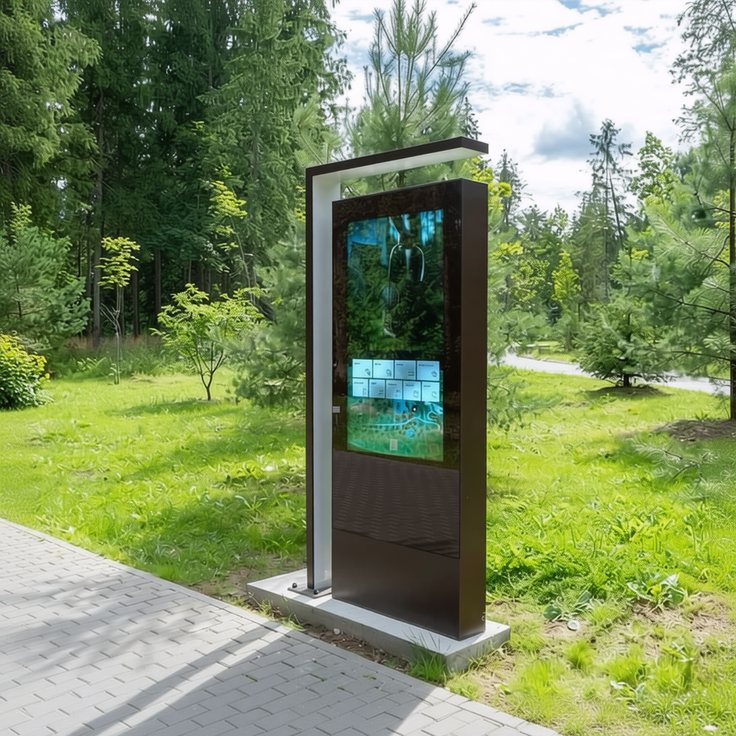
Self-service kiosks, ticketing terminals, EV charging stations, wayfinding displays, fuel dispensers, and transport information screens all face the same challenge: the touch technology has to keep working after the installation team leaves. Choosing the wrong outdoor touch screen solution tends to show up later as ghost touches, calibration drift, service calls, and unplanned replacements.
A touchscreen that performs well indoors can degrade quickly outdoors. Direct sunlight, rain, dust, temperature swings, gloved operation, and vandalism each put a different kind of stress on the touch stack, and each touch technology has its own weak point. This article examines the three most common outdoor touch screen solutions — infrared, resistive, and projected capacitive (PCAP). It covers where each one is most likely to fail and explains why KoreTouch builds its outdoor offering around industrial-grade PCAP.
Infrared Touch: Most Vulnerable to Light and Contamination
Infrared touch places emitters and receivers around the screen perimeter. A touch is detected when a finger interrupts the light beams. Infrared scales well to large formats, has a relatively low cost, and works with any pointing object.
Typical failure points outdoors:
- Sunlight interference. Sunlight contains a substantial infrared component. Strong ambient light can saturate the receivers, causing false touches, drift, or complete loss of input. This is the most frequently cited weakness of infrared in outdoor touch screen solutions.
- Rain, dust, fog, and debris. Anything that interrupts the optical path can register as a touch. Water droplets, leaves, insects, cobwebs, and accumulated dust can create ghost points or dead zones.
- Difficult sealing. The bezel must leave the optical path open, which makes high-level ingress protection hard to achieve. Over time, dust and moisture can degrade the emitters and receivers.
- Pre-touch triggering. Because the beams sit above the glass, a touch can register before contact, which hurts accuracy in wet conditions or with gloves.
Best suited for covered or semi-outdoor locations with controlled lighting and relatively clean air, particularly large interactive displays.
Resistive Touch: Most Vulnerable to Wear and UV Exposure
Resistive touchscreens detect pressure between two conductive layers. They work with a gloved hand or stylus and were once a default choice for rugged equipment.
Typical failure points outdoors:
- Surface wear. The flexible top layer is pressed repeatedly. In public, high-traffic settings, scratches, indentations, and declining linearity are common.
- UV and temperature aging. Prolonged sun exposure can yellow and embrittle the top film, while low temperatures can affect contact reliability.
- Weak optical performance. The multi-layer film structure lowers light transmission and increases surface reflection, so the image looks washed out under bright light.
- Calibration drift. Temperature cycling and long-term use can shift touch coordinates, and recalibration is impractical for unattended terminals.
- Limited user experience. Multi-touch and fluid swiping are restricted compared with the interaction people now expect.
Best suited for applications that require stylus or heavy-pressure input and where image quality is not critical.
Projected Capacitive (PCAP): Most Vulnerable to Water, Electrical Noise, and Poor System Matching
In a PCAP touchscreen, a transparent electrode grid sits beneath the cover glass. When a finger approaches, the capacitance at nearby sensing nodes changes and the controller calculates the touch position. PCAP offers multi-touch, fast response, strong optical clarity, and a durable glass surface, which is why it has become the leading direction for modern outdoor touch screen solutions.
However, PCAP is not plug-and-play. A consumer-grade implementation moved outdoors commonly runs into the following problems:
- Ghost touches from water. Water is conductive. To a basic controller, a rain film or droplets can look like a finger.
- Missed touches with gloves. A glove increases the distance between finger and glass and weakens capacitive coupling. A controller tuned only for bare fingers may not respond.
- Insufficient sensitivity through thick glass. Outdoor and public installations often require thicker or chemically strengthened cover glass. The controller must be tuned to the exact glass thickness.
- Electromagnetic interference (EMI). Motors, inverters, charging modules, and wireless equipment can cause jitter or phantom touches unless shielding, filtering, and frequency hopping are in place.
- Internal fogging and glare. Conventional air-gap (frame) bonding leaves an air layer between sensor and LCD, which can condense moisture during temperature swings and reflect light, reducing contrast in sunlight.
In nearly every case, the root cause is not the PCAP principle. It is whether the entire touch stack was engineered for outdoor conditions. That is where KoreTouch focuses its work.
Comparison of Outdoor Touch Screen Solutions
- Most likely first failure. Infrared: sunlight, rain, and dust blocking the optical path. Resistive: surface wear, UV aging, and calibration drift. Industrial PCAP: water film, EMI, and mismatch between glass and tuning.
- Sealing and dust/water protection. Infrared is challenging. Resistive is moderate. Industrial PCAP uses a fully glass front, so high-level sealing is practical.
- Multi-touch. Infrared supports it but is environment-sensitive. Resistive is limited. Industrial PCAP is excellent.
- Optical performance. Infrared is good. Resistive is poor. Industrial PCAP is excellent and can be further improved with bonding.
- Rain and glove operation. Infrared is prone to false touches. Resistive is workable. Industrial PCAP is good when properly tuned.
- Long-term maintenance. Infrared needs optical-path cleaning. Resistive needs recalibration and film replacement. PCAP depends on system-level engineering.
For most deployments that require long-term, unattended operation, an industrial-grade PCAP system is the lowest-risk outdoor touch screen solution, provided it is engineered as a matched system rather than purchased as a standalone touch sensor.
How KoreTouch Approaches Outdoor Touch Screen Solutions
KoreTouch designs industrial touch displays, Android and Windows panel PCs, bar-type LCDs, and optically bonded displays for automation, medical, and transportation applications. For outdoor touch screen solutions, our approach rests on five principles.
1. Industrial PCAP built for water, gloves, and noise. KoreTouch PCAP panels deliver 10-point multi-touch with wet-touch and glove-touch support. Controllers read both self-capacitance and mutual capacitance, which helps distinguish the localized signal of a fingertip from the diffuse signal of a water film. For electrically noisy environments, shielding layers, signal filtering, and frequency hopping help keep the touch signal clean.
2. Cover glass and touch tuning specified together. Outdoor and public-facing equipment often needs tempered or thicker glass for impact and vandal resistance. KoreTouch specifies the glass, sensor, and controller as one system so that sensitivity is maintained at the required thickness. Surface options include anti-reflective (AR), anti-fingerprint (AF), and anti-glare (AG) treatments on tempered glass with Mohs 7 hardness for scratch resistance.
3. LOCA optical bonding for sunlight readability and moisture protection. Readability in sunlight is the first test of any outdoor touch screen solution. KoreTouch applies WACKER silicone LOCA optical bonding in a Class 1,000 cleanroom. The adhesive has a refractive index of about 1.49, closely matching glass, and fills the air gap between cover glass and LCD. This reduces internal reflection to below 1% and can increase contrast in direct sunlight by up to roughly 20 times. The bonded layer also keeps dust and moisture out, removes the air space where condensation forms, and helps absorb impact to protect the LCD module.
4. Rugged system design. KoreTouch panel PCs use x86 and ARM architectures in a fanless design with an IP65-rated front panel, built to withstand dust, moisture, and vibration. High-brightness, sunlight-readable display options support retail, digital signage, and public transportation.
5. Engineered around your application. We build touch technology and mechanical integration around your specific requirements, including your environment, climate, and certification goals, rather than offering only fixed catalog configurations.
Five Questions to Answer Before Specifying Outdoor Touch Screen Solutions
- Touch input: Bare finger, wet hand, gloves, stylus, or a combination?
- Cover glass: What thickness and type are required? Touch tuning depends on it.
- Electrical environment: Are there motors, inverters, charging modules, or wireless equipment nearby?
- Sealing and protection: What IP rating does the front face need, and is vandal resistance required?
- Lighting conditions: Will the display face direct sunlight? Is high brightness or optical bonding needed?
Once these are defined, most of the work in selecting the right outdoor touch screen solution is done.
Key Takeaways
- Infrared outdoor touch screen solutions are most exposed to sunlight interference and optical-path contamination.
- Resistive touch is most exposed to surface wear, UV aging, and calibration drift.
- PCAP offers the best overall balance outdoors, but only when water rejection, glove tuning, glass matching, and EMI protection are engineered in.
- The complete stack, including surface treatment and optical bonding, determines long-term reliability as much as the touch controller does.
Talk to KoreTouch About Your Outdoor Touch Screen Solution
Planning an outdoor kiosk, transport information display, smart terminal, or industrial HMI? Already dealing with ghost touches, drift, fogging, or poor sunlight readability on an existing outdoor screen? Share your environment, screen size, and requirements with our team, and we will recommend an outdoor touch screen solution that fits your project.
If you are specifying an industrial display or panel PC for outdoor service, our engineers can help with optical bonding, sealing, and controller tuning matched to your site.
Contact our team: sales@koretouch.com
Whether you are a system integrator, an OEM, or an end-user project team, we welcome inquiries. Our engineers typically respond within 24 hours with technical feedback and product recommendations tailored to your application.