Solutions
What Is Interactive Digital Signage?
Walk through any modern airport, retail flagship, or hospital lobby and you'll notice the same shift: static posters and printed directories are being replaced by screens that respond to a touch.
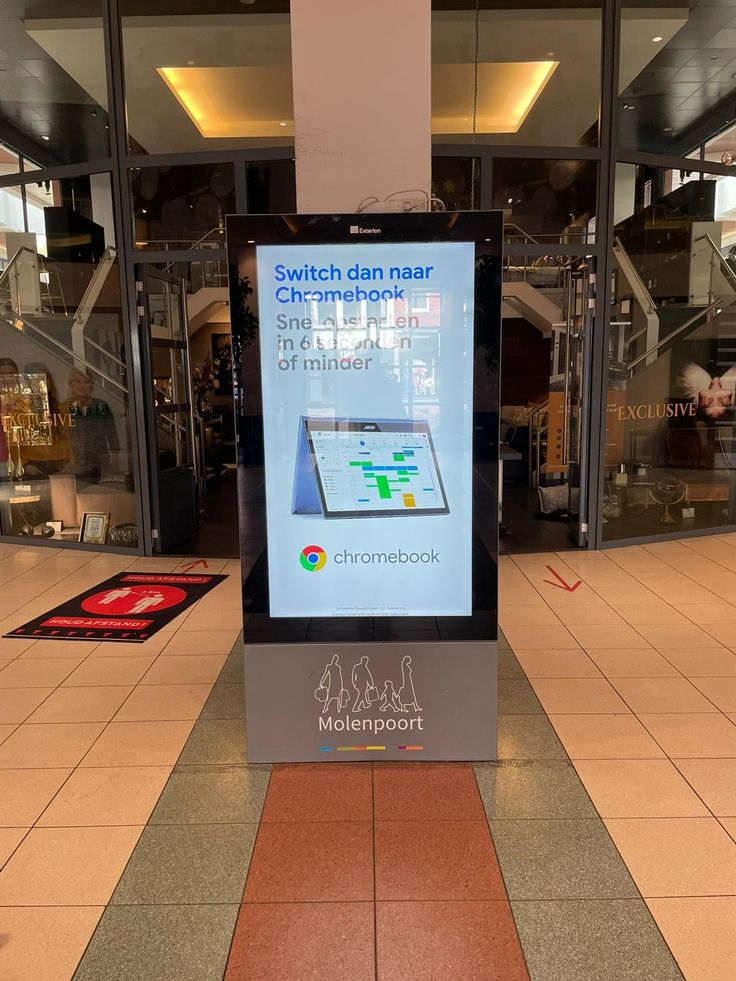
Walk through any modern airport, retail flagship, or hospital lobby and you'll notice the same shift: static posters and printed directories are being replaced by screens that respond to a touch. That's interactive digital signage — and for the businesses deploying it, the difference between a screen that simply displays and one that truly engages can determine whether an installation pays for itself or ends up ignored.
At KoreTouch, we design and manufacture the industrial touch displays and panel PCs that sit behind these deployments — from airport self-service kiosks to retail storefronts and financial operations centers. This article breaks down what interactive digital signage actually is, why the hardware layer matters more than most buyers expect, and what to look for when specifying a system built to run reliably for years, not months.
Defining Interactive Digital Signage
Interactive digital signage is a digital display system that allows the viewer to directly control the content on screen — typically through touch, though gesture, sensors, and mobile-device pairing are also used. Unlike traditional digital signage, which plays a fixed loop of video or images, interactive signage turns the screen into a two-way channel: users browse a product catalog, check in for a flight, look up a store directory, or complete a transaction, all at the display itself.
This shift from passive broadcasting to active interaction is what makes the format so effective in high-traffic environments. A static poster competes for a few seconds of attention; an interactive screen can hold a visitor's attention for minutes while delivering exactly the information — or the transaction path — they came for.
Where Interactive Digital Signage Is Deployed
The use cases span nearly every industry that deals with public-facing information or self-service:
- Retail and hospitality — self-checkout terminals, endless-aisle product browsing, interactive window displays, and POS counters that double as promotional screens.
- Transportation — airport and transit self-service check-in kiosks, wayfinding directories, and real-time schedule boards.
- Financial services — secure information terminals and interactive displays in operations centers and branch environments.
- Healthcare — patient check-in stations and clinical touch workflows in cleanroom-adjacent settings.
- Industrial and manufacturing — HMI touch panels on the plant floor, training stations, and control-room monitors where operators interact directly with data.
Each of these environments places very different demands on the hardware. A retail storefront needs a display bright enough to stay legible in direct sunlight through a shop window. A plant-floor HMI needs to register a touch through a work glove in an electrically noisy environment. A transit kiosk needs to survive thousands of touches a day, indefinitely, without drift or failure. This is where the conversation about interactive signage has to move beyond software and content, and into the engineering of the screen itself.
The Hardware Layer: Why It's the Part Buyers Underestimate
Most conversations about digital signage focus on content management systems, scheduling software, and creative design — and those layers matter. But an interactive display is only as good as the touch technology and panel underneath it. If the screen misreads a finger, washes out under bright light, or fails after a year of continuous public use, no amount of clever content design will save the deployment.
Projected capacitive touch (PCAP) is the technology behind virtually every reliable interactive display today — the same principle used in smartphones, scaled and hardened for public and industrial use. A transparent grid of electrodes sits beneath the cover glass; when a finger approaches, it disturbs a small electrostatic field, and the controller calculates the touch coordinates by reading the resulting change in capacitance. Because the sensor itself is never exposed, the whole assembly can be sealed and made durable.
The gap between a consumer-grade touchscreen and an industrial one shows up under real-world conditions:
- Water and moisture. Public screens get wiped down, splashed, and used with wet hands. A properly tuned controller applies water rejection, distinguishing the diffuse signal of a water film from the localized signal of a real fingertip — so wiping the screen doesn't trigger phantom touches or block legitimate ones.
- Gloved or heavy use. In transit terminals, factories, and cold environments, users may be wearing gloves. Industrial firmware raises detection sensitivity specifically to register a gloved touch reliably.
- Bright ambient light. A storefront window or an outdoor kiosk needs high-brightness panels — often 3,000 nits or more — so content stays crisp against direct sun rather than washing out to an unreadable glare.
- Thick or reinforced cover glass. Public installations frequently need toughened or vandal-resistant glass. Thicker glass changes how far the capacitive field has to project, so the sensor and controller must be tuned to the exact glass specified — not treated as a generic add-on.
- Electromagnetic interference. Near motors, inverters, or dense electronics, touch panels need shielding and signal filtering so the input signal doesn't jitter or false-trigger.
Optical Bonding: The Difference You Can See and Feel
One of the most underrated factors in interactive display quality is optical bonding — filling the air gap between the cover glass and the LCD panel with a clear adhesive rather than leaving an air gap. Done well, this removes internal reflections (so the screen reads clearly even under harsh lighting), keeps moisture and dust from collecting inside the stack, and adds meaningful impact resistance. KoreTouch applies optical bonding using Wacker silicone LOCA inside a Class 1,000 cleanroom, which is part of why our panels hold up to years of continuous public-facing use without yellowing, bubbling, or the "cloudy screen" look that plagues poorly bonded displays.
What to Specify Before You Deploy
For teams planning an interactive digital signage rollout, a few questions determine whether the hardware will match the environment it's going into:
- What touch modes do you need? Bare finger, wet-touch, glove-touch, stylus, or a combination — this shapes controller tuning from day one.
- What's the ambient lighting? Indoor lobby, storefront window, or full outdoor sun each call for a different brightness tier.
- What's the electrical environment? Near heavy machinery, EMI shielding needs to be specified up front, not retrofitted.
- What sealing and IP rating does the front face need? Kiosks and outdoor units typically require IP65 or higher.
- How many simultaneous touch points and what gestures are expected? Multi-touch product browsing needs a different sensor spec than a single-tap check-in flow.
- What's the expected lifecycle? A 24/7 public kiosk has very different durability requirements than an office directory used a few dozen times a day.
Why This Matters for Your Deployment
Interactive digital signage succeeds or fails on reliability. A screen that mishandles a wet wipe-down, glares out in a storefront window, or degrades after a year of public touches doesn't just create a maintenance headache — it undermines the customer experience the whole deployment was meant to improve. That's why the hardware decision deserves the same scrutiny as the content platform sitting on top of it.
At KoreTouch, we approach every interactive display project as a matched system — glass, PCAP sensor, controller, and optical bonding specified together around the environment the screen will actually live in. With over 10 years of experience in industrial touch and display integration, a 4,000+ m² manufacturing facility, ISO-aligned quality processes, and OEM/ODM capability from prototype through mass production, we help retail, transportation, financial, healthcare, and industrial teams deploy interactive signage that performs on day one and keeps performing years later.
Whether you're specifying a retail storefront kiosk, an airport self-service terminal, or a plant-floor HMI, our engineers can help you translate your environment, brightness targets, and touch requirements into the right panel, glass, and bonding configuration.
Work with KoreTouch
Ready to talk through your interactive digital signage project? Explore commercial premises, intelligent transportation, and capacitive touch monitors, or reach out at sales@koretouch.com — share your use case, ambient lighting, and mounting requirements.