Solutions
Black Screen on Cold Start: How to Tell a Frozen LCD from a Frozen Touch Controller
Below-freezing mornings are hard on outdoor electronics. The instinctive diagnosis is "the screen is broken" — but the fault almost always originates in one of two subsystems.
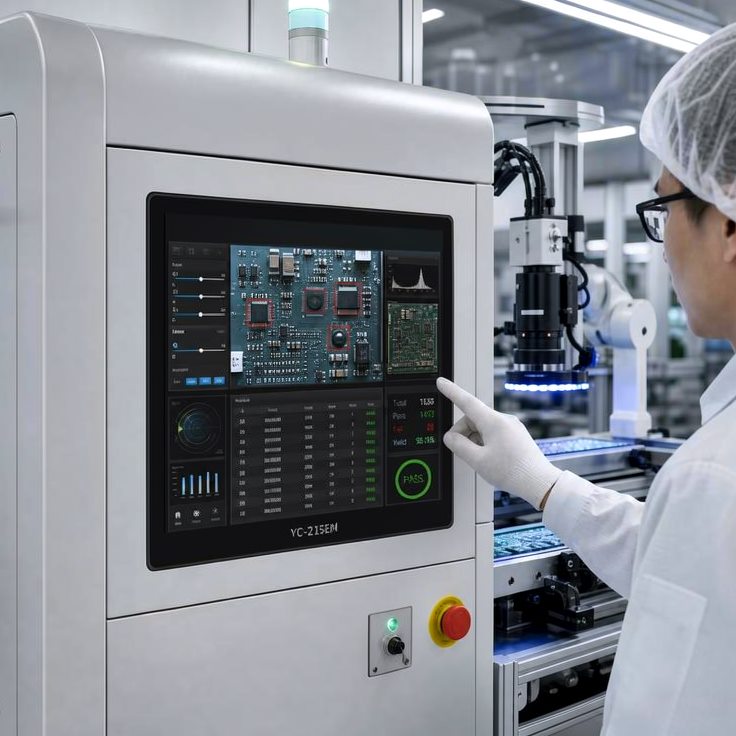
Self-service kiosks, fuel-station displays, transit information panels, and machine control terminals all share the same seasonal complaint: the screen won't turn on, or it turns on but won't respond to touch. The instinctive diagnosis is "the screen is broken" — but in a rugged outdoor touchscreen in cold temperature environments, the fault almost always originates in one of two very different subsystems: the LCD display module, or the projected capacitive (PCAP) touch controller. Each fails for a different physical reason, and each calls for a different fix. This article breaks down the mechanisms behind both, so you can tell them apart in the field — and outlines the engineering approaches that actually solve the problem long term.
Two Symptoms, Two Root Causes
In sub-zero conditions, outdoor touch displays typically show one of three patterns:
- Image present, touch unresponsive — the display looks normal, but taps register late, drift, or don't register at all.
- No image (black screen), touch may still respond — the backlight fails to turn on, or turns on and then cuts out, while the touch layer still reports signal.
- No response at all — neither the display nor the touch layer works until the unit is power-cycled or allowed to warm up.
These three patterns point to different components. Treating them as a single "the screen is dead" issue leads to unnecessary panel swaps that don't fix anything.
How Cold Affects the LCD: Slower, Not Necessarily Broken
An LCD panel controls light transmission by driving liquid crystal molecules to rotate under an applied electric field. Liquid crystal is an organic compound whose viscosity is highly temperature-dependent:
- Viscosity rises sharply at low temperature, slowing the molecules' rotation speed. The visible result is response lag and ghosting; in severe cold, the liquid crystal can become sluggish enough that it barely responds to the drive signal at all, which can look exactly like a black screen or a frozen image.
- The backlight power-up path is also temperature-sensitive. In extreme cold, the backlight driver, LEDs, and inrush-current limiting circuitry become more sensitive to startup conditions, which can show up as "flickers on, then cuts out" or "won't stay lit." In many of these cases the panel itself is not damaged — the backlight simply isn't meeting its startup boundary conditions at that temperature.
If the unit cycles between a cold exterior and a warm, humid interior — a common scenario for equipment moved in and out of enclosures — condensation or internal fogging can form between display layers. This is often more disruptive than the cold itself, degrading both light transmission and touch signal stability at the same time.
In short, LCD-side cold issues tend to look like slowing down, dimming, ghosting, and a gradual recovery as the unit warms. This is a temporary physical property of the material degrading under cold, not necessarily a hardware failure.
A "Frozen" Touch Controller: What Actually Happens in the Sensing Chain
Projected capacitive (PCAP) touch works by scanning a grid of transparent electrodes — typically ITO or metal mesh — beneath the cover glass. The controller continuously measures the capacitance at every row-column intersection to locate a touch. A well-engineered industrial controller reads two related measurements to do this reliably: self capacitance, which is highly sensitive and helps detect weak signals such as a gloved finger, and mutual capacitance, which gives precise, independent multi-touch discrimination and better rejection of false contacts. Reading both together is what lets the controller tell a fingertip apart from something else on the glass — including water.
Cold weather disrupts this sensing chain at several points:
- Mechanical stiffening of glass, adhesive, and foam layers concentrates assembly stress, which can locally attenuate or drift the sensing signal.
- Sensitivity and noise-rejection thresholds need recalibration. Settings tuned for room-temperature operation can become too conservative (missed touches) or too aggressive (false touches) in the cold — especially in environments with significant electromagnetic interference.
- Condensation is the most disruptive factor. As noted above, moving a cold unit into a warmer, humid space readily produces surface condensation on the touch layer. Water is conductive — if the controller can't reliably separate a water film from a real touch, the result is exactly the failure mode installers dread: continuous false touches, coordinate drift, or a touchscreen that simply stops responding.
- The controller is itself an electronic component, with its own cold-start boundaries around inrush current, timing, and oscillator stability. If supply ripple or connector contact resistance degrades in the cold, the symptom can be total touch non-response, independent of anything happening at the glass.
In short, touch-controller-side cold issues tend to look like the image is fine, but taps don't register, drift, double-fire, or only stabilize after the unit has been powered on for a while. This is a degradation of the capacitive sensing signal chain under combined cold and moisture — not a liquid-crystal problem.
Field Diagnosis: A Three-Step Check
When a unit black-screens or loses touch response in sub-zero conditions, this sequence will usually isolate which layer is at fault:
Step 1 — Check whether the backlight is on at all. If there's no image, look for the backlight at a low angle for a faint glow. No backlight activity at all points toward the power-up path or backlight driver — not the touch controller.
Step 2 — Power-cycle and watch the recovery curve. LCD-side cold lag typically improves gradually after a restart or a few minutes of warm-up — less ghosting, faster refresh over time. A frozen or moisture-affected touch controller, by contrast, tends to be binary or erratic: either it's completely unresponsive, or it comes back but keeps drifting or false-triggering, and its recovery doesn't track the display's improvement.
Step 3 — Look for signs of condensation. If the unit was recently moved from cold to warm, or experienced a rapid temperature swing, inspect the screen edges and touch-layer seams for fogging or visible moisture. When condensation is present, touch can remain unstable — misfiring on the water film — even after the LCD itself is refreshing normally. In that case, sealing and moisture control need to be addressed before any touch-sensitivity tuning will help.
Engineering Solutions: A System, Not a Single Component
Solving outdoor touchscreen cold temperature failures for good isn't about over-specifying one part — it's the result of designing the LCD module, touch sensor, controller, and mechanical enclosure as one coordinated system:
- Transparent heater films / ITO heating layers, integrated during the optical bonding process and triggered by an embedded temperature sensor, pre-warm the liquid crystal into its operating range before full power is applied — addressing slow cold-start response while also helping suppress condensation.
- Optical bonding eliminates the air gap between the cover glass and the LCD. Beyond improving outdoor sunlight readability and impact resistance, it also blocks moisture and dust from collecting between layers — a key structural defense against condensation caused by thermal cycling.
- Cold- and moisture-tuned touch controller firmware, with self- and mutual-capacitance thresholds recalibrated for the deployment, stronger noise rejection for the specific electrical environment, and robust water-rejection logic, so touch stays reliable under combined cold, humidity, and glove use.
- Cover glass and sealing matched to the application. Thicker or chemically strengthened glass changes the distance the capacitive field has to project, requiring the controller to be re-tuned to the exact glass thickness. Front-face sealing and IP rating likewise determine how well the unit resists condensation risk over repeated thermal cycles.
- Full thermal-cycling validation — cold-response time, cold-start time, backlight power-up strategy, and condensation testing — should be part of the specification and acceptance criteria, not just a headline operating-temperature range. A "-30 °C to +70 °C" rating tells you the unit can survive; it doesn't tell you it will be usable.
The Takeaway
A black screen or unresponsive touch panel in sub-zero conditions can look like a single failure, but it usually traces back to one of several distinct causes: liquid crystal response lag, a backlight power-up boundary, a degraded capacitive sensing chain, or condensation misread as a touch. Correctly identifying which layer is failing is what separates a five-minute diagnosis from a cycle of swapping panels and controllers that never fixes the actual problem.
For kiosks, industrial HMIs, vehicle-mounted displays, and outdoor information terminals deployed in cold climates, cold-response specifications, cold-start strategy, anti-condensation design, and tunable touch algorithms should be part of the selection criteria from day one — not an afterthought after the equipment has already failed in the field.
If you're specifying a touchscreen for an outdoor or cold-climate deployment, or an existing unit is already showing cold-start black screens or touch failures, our engineering team can help. Based on your specific temperature range, cover glass thickness, electrical environment, and use case, we can provide a complete solution spanning the LCD module, optical bonding, and touch controller tuning for your industrial display or panel PC.
Contact our team: sales@koretouch.com