Product Engineering
Embedded Industrial Tablet PCs: What Actually Determines Performance and Reliability
On a factory floor, in an electrical cabinet, or on a warehouse workstation, what really determines whether an embedded industrial tablet PC performs well isn't the numbers on a spec sheet.
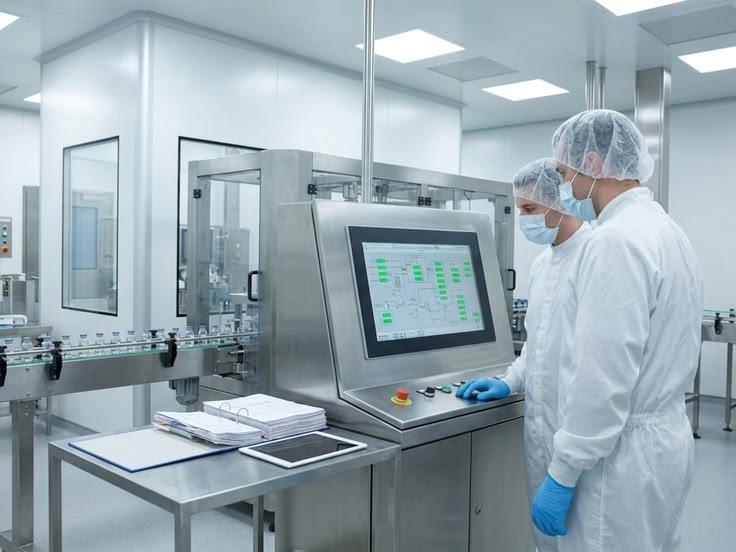
On a factory floor, in an electrical cabinet, or on a warehouse workstation, what really determines whether an embedded industrial tablet PC performs well isn't the numbers on a spec sheet — it's whether the unit keeps running, unattended, through dust, oil, moisture, electromagnetic interference, and wide temperature swings, day after day. KoreTouch designs industrial touch displays and embedded all-in-one systems around exactly that requirement: computing, PCAP touch, and industrial I/O engineered as a single unit that mounts directly into a cabinet, a production line, or an operator console. Drawing on KoreTouch's engineering work in touch and display integration, this article walks through how to evaluate performance, which features actually matter, and the details that are easy to overlook during selection.
1. Performance: Enough Compute, Backed by Real Stability
Compute requirements for embedded industrial tablet PCs vary widely. Entry-level units typically run on Intel Celeron or Atom low-power processors with around 4 GB of memory — sufficient for dashboards, simple HMI screens, barcode scanning, and parameter displays. Mid-to-high-end configurations move up to Intel Core i3, i5, or i7 for workloads like SCADA, MES clients, and machine vision processing. KoreTouch's 15.6-inch Windows industrial panel PC, for example, ships standard with an Intel Celeron J6412 quad-core processor, 4 GB DDR4 memory, and a 64 GB SSD, with i3/i5/i7 options available for applications that need more headroom. That range matters in practice: teams aren't forced to overpay for compute they won't use, or under-spec a unit that will bottleneck their software.
But in the field, what separates a reliable unit from one that fails within a year usually isn't peak compute — it's whether the platform survives the environment it's dropped into:
- Wide operating temperature. Most industrial-grade units operate from 0 °C to 60 °C, with storage ranges extending to −20 °C to 60 °C, covering both seasonal swings and heat generated by nearby machinery.
- Front-panel ingress protection. An IP65-rated front face resists dust ingress and direct water jets — a baseline requirement for washdown areas or dusty production environments. Rear sealing (commonly IP40) should be matched to how the unit is actually mounted.
- Aluminum enclosures and passive thermal design. Industrial housings are typically aluminum — rigid, and effective at conducting heat away from internal components, avoiding the throttling and premature failure common in consumer-grade plastic housings run continuously.
- Touch stability under electrical noise. Motors, VFDs, and welding equipment fill a plant with electromagnetic noise that causes drift or phantom touches on a poorly shielded screen. Industrial-grade PCAP (projected capacitive) touch counters this with a shielding layer in the stack, signal filtering, and frequency hopping at the controller level, keeping the touch signal clean in a noisy electrical environment.
In short: evaluating an embedded industrial tablet PC on CPU model and benchmark scores alone misses the point. The real question is whether it keeps the intended software running reliably through dust, vibration, temperature extremes, and EMI — for years, not months.
2. Core Features: Display, Touch, Connectivity, and Deployment as One System
Human-Machine Interaction: Reliable Touch, Not Just Responsive Touch
The primary function of an embedded industrial tablet PC is the human-machine interface. Operators need to monitor equipment status, acknowledge alarms, switch recipes, and review drawings on a single screen — which demands a level of touch reliability far beyond office or consumer use.
Industrial PCAP touch works by placing a transparent grid of conductive electrodes beneath the cover glass. The controller drives these electrodes to create a small electrostatic field; when a finger approaches, it disturbs the field and changes capacitance at nearby nodes, which the controller reads to calculate touch coordinates. A well-engineered controller reads both self-capacitance (sensitive enough to detect a weak signal through a glove) and mutual capacitance (which delivers precise, independent multi-touch and cleaner discrimination between real and false contacts). This dual-signal approach is what enables several capabilities that consumer touchscreens simply don't have:
- Wet-touch operation. Water is conductive, so a splash or a wet wipe-down can register as a touch on a naive controller, producing ghost inputs or blocking real ones. Industrial controllers separate the broad, diffuse signal of a water film from the localized, finger-shaped signal of an actual touch — keeping input stable even on a wet screen.
- Glove-touch operation. A glove increases the distance between finger and glass, weakening capacitive coupling. Industrial firmware raises sensitivity and detection thresholds so a gloved hand still registers reliably — and because higher sensitivity and aggressive water rejection pull in opposite directions, this needs to be tunable to the specific application.
- Thick or toughened cover glass compatibility. Public and industrial installations often require thicker or chemically strengthened glass for impact and vandal resistance, which increases the distance the field must project. This means the cover glass, sensor, and controller need to be specified and tuned together as a matched system, not assembled from generic off-the-shelf modules.
- EMI resistance. Shielding layers, signal filtering, and controller-level frequency hopping keep the touch signal clean even near motors, drives, and welding equipment.
On the surface treatment side, anti-glare (AG), anti-fingerprint (AF), and anti-reflective (AR) coatings, combined with Mohs 7 hardness tempered glass, keep the display readable under bright light and resistant to scratching over years of use. KoreTouch's touch panels generally support 10-point PCAP multi-touch with AR/AF/AG surface options and tempered glass — details worth confirming with any supplier during selection.
Display Reliability: Optical Bonding Determines Screen Lifespan
Many industrial HMIs fail within a year or two — hazing, blotching, or outright display failure — and the root cause is usually the air gap between the cover glass and the LCD, where humidity condenses and dust settles over time. The fix is optical bonding: filling that gap with a clear adhesive (such as Wacker silicone LOCA), which eliminates internal reflections, improves contrast and outdoor readability, adds impact resistance, and — critically — removes the space where moisture and dust would otherwise accumulate. This process typically requires a Class 1,000 cleanroom, and it's a good indicator of how seriously a supplier takes industrial-grade manufacturing.
Industrial Connectivity: I/O Matters More Than Screen Size
What separates an embedded industrial tablet PC from a consumer tablet is its I/O. Common configurations include Gigabit Ethernet, multiple USB ports, HDMI/VGA video output, and — on many models — dual RS232 serial ports. Serial may look outdated, but a large share of PLCs, scales, and barcode/label hardware in the field still communicate over RS232. Dropping serial support entirely forces awkward adapters and rework; keeping it lets a new terminal slot into an existing line without disruption. Wi-Fi, Bluetooth, 4G/5G, CAN bus, and GPIO round out connectivity for sensors, scanners, cameras, and upstream systems.
Software Compatibility and Deployment Flexibility
Industrial-grade units generally support Windows 7/8/10/11 as well as Linux — a practical necessity, since many plant-floor applications were validated years ago on an older OS, and forcing an upgrade carries real cost and risk. Mounting options — VESA-standard, panel-embedded, or arm-mounted — and compact enclosures make it easier to fit units into cabinets or space-constrained equipment.
3. Five Questions to Ask Before You Buy
Before specifying an embedded industrial tablet PC, get clear answers from your supplier on:
- Touch modes — bare finger, wet, gloved, stylus, or some combination?
- Cover glass — thickness and type, since touch tuning depends directly on it.
- Electrical environment — what EMI sources are nearby, and how is shielding matched to them?
- Sealing and IP rating — for both front and rear, matched to how the unit will actually be mounted.
- Touch points and gestures — how many simultaneous touches, and what gesture support does the application need?
A supplier that's serious about industrial deployments won't hand you a generic off-the-shelf module for every project. Instead, they'll translate your I/O, cover glass, IP rating, and certification requirements into an optimized optical and mechanical design — ideally starting from your project requirements, even without initial technical drawings. That custom-fit approach is where the real value of an embedded industrial tablet PC shows up, compared to a general-purpose consumer device.
4. Where Embedded Industrial Tablet PCs Are Deployed
- Factory HMI and MES terminals — line-side control, work instructions, and production dashboards.
- Self-service kiosks and retail POS — sealed, glove-capable fronts for public and semi-public environments.
- Warehouse and logistics stations — data capture and control in dusty, high-handling conditions.
- Edge gateways — compute nodes combining serial, LAN, and wireless connectivity at the edge of the line.
Simple display and dashboard applications are well served by lower-power configurations; machine vision, multi-protocol data acquisition, and edge AI inference call for higher compute and richer I/O.
Work with KoreTouch
If you're evaluating an embedded industrial tablet PC for a production line, control cabinet, or outdoor terminal, share your I/O, cover glass, IP rating, and operating environment with the KoreTouch team. See industrial all-in-one PCs, the 15.6-inch Windows panel PC, and contact sales@koretouch.com.