Technical Deep Dive
Capacitive vs. Resistive Touch Screens — Which Should You Choose?
A practical comparison of capacitive and resistive touch: how each works, where each shines, and how KoreTouch helps you pick the right fit for your application.
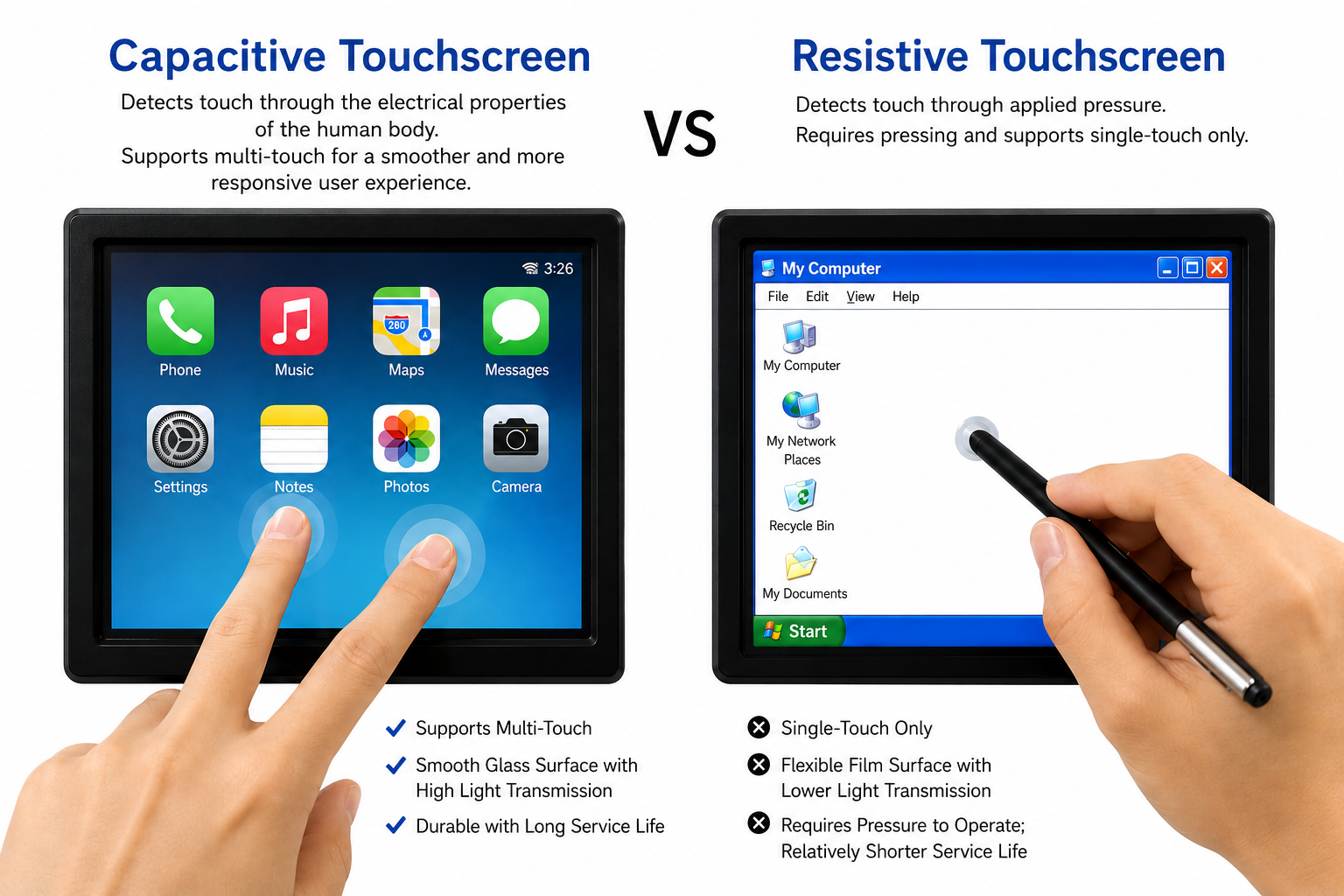
When selecting a touch screen for a project, “capacitive or resistive?” is almost always the first question customers ask. Each technology has its own strengths, and there’s no universally better option—only the one that’s the better fit for your application.
Drawing on years of project experience, KoreTouch breaks down the core differences between the two to help you make a more informed decision.
How They Work
Resistive touch screens are built from two conductive layers separated by a thin gap. When a finger or stylus presses on the screen, the layers make contact and the controller locates the touch point. Because it relies on physical pressure, resistive screens work with a finger, fingernail, stylus, or gloved hand.
Capacitive touch screens use the human body’s natural electrical field. A transparent conductive layer (typically ITO) covers the surface; touching it changes local capacitance so the controller can calculate coordinates. That is also why standard capacitive screens often cannot recognize plastic styluses or thick gloves without special tuning.
Where Each Technology Shines
| Comparison | Resistive | Capacitive |
|---|---|---|
| Input method | Finger / stylus / gloved hand | Primarily bare finger (or dedicated stylus) |
| Light transmittance | Lower (~75%–85%) | Higher (90%+) |
| Multi-touch | Generally not supported | Supports multi-touch and gestures |
| Durability | Surface wears and scratches more easily | Tempered glass surface, more scratch-resistant |
| Environment | Unaffected by liquids or dust | Moisture or oil can cause false triggers without tuning |
| Cost | Relatively lower | Relatively higher |
For industrial equipment, medical devices, or outdoor enclosures—where operators often wear gloves or use a stylus and cost sensitivity is high—resistive can be the more reliable choice.
For consumer electronics, smart terminals, or retail self-service kiosks—where display quality, multi-touch gestures, and aesthetics matter most—capacitive is almost always preferred.
KoreTouch’s Recommendation
Evaluate your project along three dimensions:
- Operating environment — liquids, oil, dust, or gloves?
- Interaction needs — multi-touch gestures like swipe or pinch-to-zoom?
- Cost and lifespan — budget and expected service life before replacement?
KoreTouch offers customized capacitive and resistive solutions, with support from selection and structural design through mass production.
Work with KoreTouch
See Capacitive Touchscreen Monitors and Industrial Monitors. Contact us at sales@koretouch.com for a customized solution.